The marrow of dozens of tech books, drawn into a single thread: from the current in the silicon up to the judgment no AI replaces. Each idea links to its full note.
You learn to code in fragments: a language one year, a design pattern the next month, a performance trick on some random Thursday night. The knowledge piles up, but the overall map stays blurry, and you end up making decisions without quite seeing where they come from. This page attempts the opposite: to draw a single mental map of the craft, running from the current inside the silicon to the human judgment no AI replaces. Not a list of summaries, but the one thread that runs through them all. Each chapter is a consequence of the one before; each idea is told once, in its logical place, fusing every book that teaches it. Read top to bottom and the whole field assembles itself.
The promise is simple. Whether you are just starting out or have years of code behind you, you walk away with a multi-storey map that answers the questions you actually ask yourself: not just what to do but why, where, when and how to do it.
1
The machine only understands numbers
what code costs
The machine does not think: numbers go in, numbers come out. A piece of text, an image, a condition, it all becomes numbers, and every computation has a cost. The same task can be instant or crawl for seconds, depending on how you write it. This chapter teaches you to see that cost before you pay it. Four steps: the smallest cell of memory, the floors where data lives, the unit that measures cost, and the translator that handles the rest.
1.1 Everything is a number
A heads-up: this is the most low-level passage in the book, and that is on purpose. Don't try to memorize the bits, aim for intuition: understanding why the machine can only store 0s and 1s. Once that foundation is set, the rest of the book flows down from it.
A bit is a slot worth 0 or 1, like a switch off or on: the only thing the machine can physically hold. You group them by eight (a byte: eight cells with two choices each, so 2×2×…×2 = 256 combinations, from 0 to 255), and memory is just one huge row of those bytes, each tagged by a number, its address.
All of memory fits in this picture: a ribbon of 8-switch slots, and a number to go straight to each one.
Everything comes down to that: a letter fits in one byte (ASCII, a convention shared by every machine, fixes 'A' at 65), a word takes a few, an image takes millions, since each pixel is three numbers (red, green, blue). The millions of bytes in a photo are nothing magical: just an enormous pile of tiny 0/1 slots.
One byte per letter was true for English. Accented alphabets and emojis forced a broader convention, UTF-8: 'A' keeps its single byte, 'é' takes two, '🎉' four. Hence a very real trap: the "length" of a text depends on what you count, bytes or characters, and cutting at the nth byte can slice a character in half.
The most unsettling part is your program itself: it gets the same treatment. Instructions are numbers, stored in the same memory as the data, and the machine makes no difference between the two. Hold on to that: in chapter 7, an attacker will use it to slip an order where a piece of data was expected.
Why only two values? It does seem primitive. Because the physical world is noisy. A voltage in a wire drifts with heat, interference, the age of the components: telling ten levels apart (one per decimal digit) would demand an impossible precision. Two states, by contrast, are unmistakable, "off" or "on"; it takes enormous noise to confuse a 0 with a 1.
So the bit is the smallest piece of information that survives the noise, carried by the simplest and cheapest component we can make by the billions: a switch. And since two states map to true/false, all of logic and arithmetic build on top. Far from simplistic, it is the most robust trade-off there is. Other paths were actually tried: the 1945 ENIAC counted in decimal, the Soviet Setun of 1958 in ternary; binary won on reliability.
That leaves how a string of 0s and 1s becomes a number. It all comes down to position. Start with base 10, the one we know. 234 is not "2, 3, 4" stuck together: each column carries a weight, units, tens, hundreds. After the point, it keeps going downward: tenths (1/10), hundredths (1/100)… So 0.1 means "1 in the tenths column". The dot does not make the value, the column does.
Binary follows the very same rule, with two possible digits instead of ten: 0 and 1. Starting from the right, the columns are no longer worth 1, 10, 100, but 1, 2, 4, 8, 16…: the powers of 2. Reading a binary number therefore means adding up the columns that carry a 1, skipping those that carry a 0. In 101, the right column (1) and the left one (4) carry a 1, the middle one (2) carries a 0: 4 + 0 + 1 = 5.
Each column is a power of 2; add the ones whose bit is set to 1.The word "Hi!" in memory: one letter per byte. Read the number by adding the columns whose bit is 1.
A whole number is thus an exact sum of powers of 2: it always stores perfectly. After the point, the binary columns become fractions: 1/2, 1/4, 1/8, 1/16… A fractional number has to be written as a sum of those.
0.1, however, cannot be written that way. In binary, a fraction lands exactly only if its denominator (the bottom of the fraction) is a power of 2: 1/2, 1/4, 1/8… But 0.1 = 1/10, and 10 is not one. It hides a factor of 5 (10 = 2 × 5), and 5 never shows up when you keep doubling: 2, 4, 8, 16… So no finite sum of 1/2, 1/4, 1/8 ever equals exactly 0.1, and the expansion runs forever (0.0001100110011…). Just as 1/3 = 0.333… never lands exactly in base 10.
So how does it store the number at all? By moving the point. Stay in base 10 to see the trick: 1234.5 can be written 1.2345 × 10³, and 0.00012345 becomes 1.2345 × 10⁻⁴. The same digits in both cases, plus an exponent saying how many places the point moved. The machine does the same in binary: it stores the digits on one side, the mantissa, and on the other the exponent, the power of 2 to multiply them by. That is what "floating point" means: the point has no fixed place, the exponent slides it. With the same number of digits, you hold both the huge and the tiny.
A decimal number in memory: 64 switches in three roles. One for the sign, eleven for the exponent, fifty-two for the digits. That is where the room runs out and the pattern gets cut (here, 0.1's).The exact bits of 0.1, for the curious (optional)
For 0.1, let's read the three pieces. The sign first: 0, because 0.1 is positive (1 = negative). The mantissa next: take 0.0001100110011… and slide the point to just after the first 1, which gives 1.100110011… × 2⁻⁴, whose digits repeat 1001 forever. A number normalized this way always starts with "1.", so that leading 1 is never stored: a free bit. The exponent last, -4. The 11 bits that store it can only encode positive numbers (0 to 2047), but -4 is negative. The fix: add a fixed offset of 1023, which always makes it positive. So the machine stores −4 + 1023 = 1019, written in binary as 01111111011 (and subtracts 1023 when reading to get -4 back).
But the room kept for digits is finite: about fifty of them, no more. So we cut the endless pattern, and the last digit kept gets rounded. That is the crumb: stored 0.1 is a hair too big. 0.2 suffers the same, the crumbs pile up, and the total misses 0.3:
// what the machine actually stores (the "crumb"):
0.1        → 0.1000000000000000055…   // a bit too big
0.2        → 0.2000000000000000111…   // a bit too big
0.3        → 0.2999999999999999888…   // a bit too small

0.1 + 0.2  → 0.3000000000000000444…   // overshoots stored 0.3
0.1 + 0.2 === 0.3   // false → 0.30000000000000004
0.1 + 0.3 === 0.4   // true… but by luck!
0.1 + 0.7 === 0.8   // false, just like 0.1 + 0.2
That is the whole trap: 0.1 and 0.2 lean a touch too high, 0.3 a touch too low. Their sum overshoots the stored 0.3; the two are simply not the same number, so the equality is false.
And this miss is nothing special. Equality between two floats is a lottery: depending on whether the crumbs add up or cancel out, the final rounding lands right or wrong, with no way to guess. 0.1 + 0.3 really does give 0.4, but by luck; 0.1 + 0.7 misses 0.8.
The key fits in one line: an integer is exact, a float is not. Hence two reflexes: never compare two floats with an equality test, test instead whether they are close enough (their gap under a small tolerance); and store money in cents, as integers. The math becomes reliable again, and a whole class of rounding bugs disappears.
So far, memory was just a uniform row of bytes. In reality it has layers. Why? Because the CPU (the chip that runs your instructions one by one) only computes fast on data sitting right next to it. Closest of all are its registers, a few slots inside the chip: the only place it actually computes. Everything else lives further away, in tiers: the cache (a fast reserve glued to the chip, in L1, L2, L3), then RAM, then disk. Each tier you go down is roughly ten times bigger, but ten times slower. Between RAM and disk, however, it is no longer a step, it is a chasm (×100,000).
The pyramid does not stop at the machine's edge either: below the disk sits the network, another ten times slower when the data crosses an ocean. That layer gets its own chapter (chapter 5).
The machine as a map: the further data lives from the computing centre, the longer the courier walks.The memory pyramid: at the top, small and near-instant; at the bottom, huge and slow. A value you read often must stay as high as possible. Below the dashed line, you have left the machine.
The orders of magnitude are dizzying: a register is near-instant, cache ≈ 1 ns, RAM ≈ 100 ns, disk ≈ 10 ms. To feel the gap, imagine a cache read took 1 second: RAM would then answer in ~1 min 40, and the hard disk… in ~4 months. A value you read often must therefore stay as high as possible.
Another reflex: the machine never fetches a single byte, it pulls a whole cache line (about 64 bytes) at once. So reading neighbouring cells is free; jumping all over is costly.
The classic case is the two-dimensional array: a grid of cells, in rows and columns. You meet one every day without naming it, a spreadsheet, a chessboard, or the photo from 1.1, which is nothing but a grid of pixels. Memory, though, stays one long row of bytes, with no rows and no columns: the grid is therefore flattened into it, the first line of pixels, then the second laid right behind, and so on. Asking for the cell at row i, column j (what languages write a[i][j]) is therefore not a double lookup, but a single computed position: i × width + j. From there, two traversals with opposite costs. Traversing a row means stepping from one neighbouring cell to the next: each is already in the cache's 64 bytes, so free. Traversing a column means jumping a whole grid width each step: you leave the cache every time and it must reload, so slow.
(This assumes a truly contiguous array, as in C, Go or NumPy. An array of arrays (JS [[…]], Java int[][]) keeps each row elsewhere, allocated separately: there, the contiguity and the cache gain are gone.)
The black frame = the reader; the coloured zone = the loaded cache line. Along a row, the reader stays inside it (1 load); down a column, it leaves at every step and forces a reload (3).
Same array, same work, only the order of the two loops changes:
// same logic, two loop orders over a 2D arrayfor (i...) for (j...) a[i][j] // ✓ contiguous: the cache line is reusedfor (j...) for (i...) a[i][j] // ✗ jumps a row each time → up to 10× slower
The same trap springs every day in ordinary code, in the shape of an innocent-looking "load it all into memory". Pulling 100,000 rows from a database to display only ten blows the data far past the cache, and every access then goes fetching far away, in RAM or on disk. Performance collapses for the same reason as the column traversal. Moving data costs more than computing.
Writing code that runs is good; knowing whether it holds when the database goes from a hundred rows to ten million is better. For that you need a unit of measure: Big O. It says how the number of steps grows with the input size, written n, while ignoring the constants (the machine, the language). The notation needs no mathematics: the O means "on the order of", and what follows in the parentheses gives the shape of the growth. O(n) reads "on the order of n steps", so ten times more data means ten times more work. It is not a duration in seconds, it is the shape of a curve. Four families show up everywhere:
O(1): constant time, whatever the size (the fastest);
O(log n): logarithmic time, climbing ever more slowly, you halve the problem at each step;
O(n): linear time, twice the data means twice the work;
O(n²): quadratic time, twice the data means four times the work (the worst here).
The word "exponential" is often misapplied to that last one. True exponential time, O(2ⁿ), is far worse: every element added doubles the work, and fifty elements already pass a thousand billion operations. You meet it rarely, but the two are not the same thing.
As the input grows, the family decides everything: O(n²) explodes where O(1) does not move. No machine catches up.
The word logarithm is scary, the idea is not. log n is the number of times you can halve n before landing on 1. A million halved twenty times in a row reaches 1, so log of a million is about 20. Hence the feat of searching a sorted list, always opening it in the middle: a directory of one billion names is combed through in about thirty steps. That is why the curve flattens, doubling the data adds just one more step.
O(1) is the most profitable idea of everyday work. A hash table pairs a key with a value, a customer's name with their record for instance, and finds the record by the name in constant time, even over a million entries. You already use one without thinking about it: Python's dict, the JS object, PHP's associative array. The mechanism is simple. The key goes through a hash function that turns it into a slot number, so you search for nothing: you compute where the value sits and go straight there, whatever the number of entries.
if (name in list_of_1000) // ✗ O(n): at worst, you scan all 1000 namesif (dictionary[name]) // ✓ O(1): one direct access, computed
These gaps between families are not theoretical. A computer from the 1970s, thousands of times slower than yours, beats a modern, blazing-fast machine as soon as the data grows, if the old one runs O(n) and the new one O(n³), a notch above quadratic. No amount of computing power makes up for a bad algorithm.
Hence a habit that pays off: before writing a line, roughly estimate the number of operations. On ten million items, a single pass (O(n)) is ten million operations, a fraction of a second. Comparing them all pairwise (O(n²)) is ten million × ten million = a hundred trillion, hours of compute. Ten million times more: that thirty-second estimate tells you which one is viable before you even code.
The same logic drives the choice of data structure, the way a collection is laid out in memory. An array puts its elements side by side, like numbered lockers: reaching the 500th is instant, you compute its address and go, but inserting in the middle forces you to shift every following element by one slot. A linked list works like a treasure hunt, where each element tells you where to find the next: inserting only re-ties two clues once you are at the right spot, but to reach the 500th you must follow the trail from the start. Neither is "better", you pick by what you do most, read or insert.
Inserting in the middle: the array shifts everything after; the list only re-wires 2 links. To reach the n-th directly, it is the opposite (the array wins).
These days we write in clear languages (PHP, JavaScript, Python…), far from the machine's raw language. Between the two sits a translator: the compiler, which turns all the code into chip instructions before the run, or the interpreter, which translates during the run (PHP, Python; JavaScript mixes the two). The lessons that follow hold for both. Knowing this translator a little, and the machine it targets, still pays off, for two reasons.
First, it helps you smell a hidden cost behind a plain-looking line. Take a loop, the instruction that repeats the same block of code a number of times. Make it recompute the length of a text on every turn, even though the length never changes, and the machine counts it in full, thousands of times for nothing. Just compute it once, before the loop.
for (let i = 0; i < length(text); i++) { … } // ✗ recounted on EVERY passconst n = length(text); // ✓ counted oncefor (let i = 0; i < n; i++) { … }
Second, it tells you what the compiler does for you, and what it never will. It optimizes small details on its own: it computes 3 × 4 once and for all, say, instead of redoing it every run. But it will never touch your big choices: it will not turn a slow search into a fast one. The algorithm stays your job; the machine only polishes what you hand it.
The low level also holds surprises. To go fast, the CPU bets ahead of time on the result of every test, those "if this condition, then…" written if in the code (so-called branch prediction); when it guesses wrong too often, it loses time backtracking. An absurd but very real consequence: scanning a sorted array can be several times faster than the same scan over the same array shuffled, because the tests become predictable.
No one would ever guess that, and there are many hidden effects like it. On performance, intuition is often wrong. The only reliable way to know whether code is fast is to measure it, actually time it, never to guess.
The machine has a cost and speaks only numbers. To express our intent on top of it, we need an intermediary: the programming language. And it does not merely turn thought into instructions, it becomes a tool to think, words that decide what we are able to conceive.
« The book of nature is written in mathematical language. » — Galileo, Il Saggiatore, 1623
2
Language, a tool for thinking
expressing
The machine speaks only numbers; the language is the layer that turns our intent into instructions. But it is not a mere translator: its mental model decides what you can think easily. Six ideas show this, from the most concrete to the deepest. The last one says it all: naming a thing widens what you can think.
Two words will come back in every paragraph, so let us set them down now. A variable is a name given to a slot in memory, to store a value there and find it again later. A function is a recipe written once and for all: you hand it ingredients, its arguments, it hands back a dish, its output. total(price, qty) takes two arguments and returns their product. You call it as often as you like, it does the same work every time.
2.1 Values and references: what the variable really holds
Does a variable hold the data itself, or only its address? Everything follows from that. For a number or a boolean (true or false), the variable is the data. Copying it into another variable duplicates the value, and the two live separately.
An object is another matter, and the word deserves a pause: the whole of chapter 4 will rest on it. The idea is simple, keep together what belongs together. Rather than carrying a customer's name, address and balance around separately, you gather them into a single bundle, along with the actions you can ask of it. The data it holds are its fields (name, address, balance), the actions it can perform are its methods (sendInvoice()).
For an object, as for a list or a dictionary, the variable only holds a handle to the data, a pointer, that is the memory address from chapter 1. Copying it copies the handle, not the data. In memory, that customer exists only once, a single packet of 0s and 1s somewhere in the row of bytes, and each of the two variables holds nothing but the number that leads to it: two names for one piece of data.
Top, the value is copied (independent boxes); bottom, a and b share the same data, so a change through b shows through a.
const a = [1, 2, 3];
const b = a;      // b shares the SAME backing array
b[0] = 9;         // a[0] is 9 too: one piece of data behind two names
In most languages (PHP, JavaScript, Python, Java), an object passed to a function is not copied: the function mutates the original. Confusing value and reference is an endless source of "I changed a copy and the original moved" bugs. Telling them apart is not a syntax trick: it is a mental model the language installs in you, and it is what lets you see the bug coming.
And strings: value or reference?
Depending on the language, either the string is copied like a number (PHP), or it is immutable: you never modify one, you build a new one (JavaScript, Python). Either way the trap vanishes: there is no "I changed the copy and damaged the original", a string behaves like a value.
Before saying what a type is, let us say what it is for. If you mostly write JavaScript, Python or PHP without declaring types, you get along fine without writing a single one. The language accepts everything, and you find out about the mistake when the code runs.
function total(price, qty) { return price * qty; }
total("12", 3)       // 36: the "12" from the form works by accident
total("twelve", 3)   // NaN, "not a number", which travels all the way to the invoice
A type is that commitment written down: "there will be a number here". The compiler reads it before the code runs and refuses to start if it is broken. That is exactly what TypeScript adds to JavaScript: the re-read the language never had. You gain no typing speed, you gain the moment the mistake shows up: in front of you, not in front of the user.
A type renders a second service, less visible and more profitable day to day: it documents. send(recipient, message) does not say what it expects. send(customer: Customer, message: string) does, and the code editor, which knows Customer, offers you its fields as you type. That header line, the function's signature, becomes the doc, and that doc cannot lie because it is checked.
So much for the use. Now for what a type really is. You meet them everywhere under short names: int for whole numbers, string for text, boolean for true or false. But a type is more than a label: it is the set of values a variable can take.
the type boolean holds only two values: true and false;
the type 0 | 1 | 2, where the bar reads "or" (a number that can only be 0, 1 or 2), holds three;
the type string, infinitely many.
Seen this way, combining two types is operating on sets. Their union (A | B) gathers all the values of both. Their intersection (A & B) keeps only those belonging to both, which serves to require an object that ticks two boxes at once, say having the fields of a customer and those of a signed-in account.
A type is the set of allowed values. Combining two types = uniting them (everything) or intersecting them (the overlap).
This view also explains structural typing: to know whether an object may enter a type, you do not look at the label it wears, but at what it holds. In TypeScript, that means its fields: any object with an x and a y is a Point, even if it has never heard of Point. In Go, it means its methods, the actions it can perform. An interface there is a list of required actions: if it asks for Read() and Close(), any type able to do those two answers it, without ever having to declare so.
interface Point { x: number; y: number }
function length(p: Point) {…} // length expects a Point: an x and a yconst p = { x: 3, y: 4, z: 5 };
length(p) // ✓ ok: the {x, y} shape is there, the extra z is ignored
This is the opposite of nominal typing (Java, PHP), where the object must declare in writing implements Point, "I am a Point", to be accepted. Here, the shape is enough.
That leaves Effective TypeScript's best idea, and it reaches far beyond TypeScript. The setting: JSON.parse turns text from the outside into an object, a server's answer or a file, and nobody guarantees what it holds. Facing data whose shape you do not know, there are only two postures. Pretend you know, and the language keeps quiet. Admit you do not, and it demands a check before the first use.
let a: any = JSON.parse(txt); a.customer.name // ✗ "trust me": no checks at all, crashes at runtimelet b: unknown = JSON.parse(txt); b.customer // ✓ compile-time error: prove what it is first
any switches the compiler off and silently contaminates everything it touches; unknown says "I don't know yet, I'll check before acting". Choosing unknownkeeps the net. It is exactly the posture you will meet again facing user input in chapter 7, then an AI's answer in chapter 8: never treat as safe what you have not checked.
In modern languages a function is a value like any other: you store it in a variable, pass it as an argument, return it. It is more ordinary than it sounds. button.addEventListener('click', myFunction) means "when someone clicks, run that function", and [1, 2, 3].map(double) means "apply that function to every element of the list". In both cases, a function travels like a piece of data. That single idea unlocks three tools, which look magical until you see the mechanism:
the closure: a recipe that leaves with its own notebook. It remembers the variables of the place it was born, from one call to the next (a counter keeping its private total);
the decorator: a sticky note stapled onto a recipe. It adds a step without crossing out a single line of the original (timing, caching, checking permissions);
the generator (yield): a cook who hands you one pancake, stops, and resumes with the next when you ask again. He never holds the whole stack (walking a huge file without loading it whole).
The most surprising of the three is the closure. An example in Python:
def counter():
n = 0 # n lives inside counter()def inc():
nonlocal n # "the n above, not a new one"
n += 1
return n
return inc # we return the FUNCTION, not its result
c = counter()
c() # 1
c() # 2 ← n survived between the two calls
inc carries its n: each call increments it and remembers it, hence 1, 2, 3… That is a closure.
This mechanism is everywhere: JavaScript, Python and Go capture the variable on their own, PHP asks you to say so explicitly (use (&$n)). Its worth is measured by what it replaces. For a function to remember a value from one call to the next, the only other options are a global variable or a static:
with a static: one state, shared by every call to the function;
with a closure: a brand-new state on every call to counter(), hence as many independent counters as you want.
At heart, a closure is a machine for handing out private notebooks, as many as you ask for.
The decorator follows directly. Timing a function without touching its code, for instance:
def timer(f): # takes a function, returns anotherdef wrapper(*a): # *a: takes f's arguments, whatever they are
t = time()
r = f(*a) # run the original function
print(time() - t) # and print how long it tookreturn r
return wrapper
@timer # @ : wraps slow(), which is now timeddef slow(): ...
slow() # runs as usual, and prints its duration on the way
And the generator, the most counterintuitive, dodges the "load it all into memory" trap from chapter 1 by delivering its values one drip at a time, on demand:
def lines(file):
for line in file:
yield line # hands back one line, pauses, resumes at the nextfor l in lines(my_file): # lines arrive one at a time, on demand
handle(l)
# → read a 50 GB file without ever loading it whole into memory
The generator yields one line, pauses while keeping its place, then resumes at the next. Values come one drip at a time, never all at once.
Fluent Python pushes the idea further: it is not only functions that travel as values, it is your own objects that can answer the language's own syntax. Give one of them a method named __len__, and len(my_object) works. A method named __iter__, and for x in my_object works, inheriting nothing from anyone. Python calls this its data model, and the lesson outlives Python: you do not configure a language, you plug into it.
2.4 Recursion: solving a problem with a smaller version of itself
If a function is a recipe, recursion is a recipe that quotes itself. "To empty a box: take the things out. If you find a box inside, apply this recipe to that box. If there is none, you are done." A function that calls itself, then. At first it sounds like an infinite loop, but it isn't. It all hinges on two parts:
the base case: the box that holds no more boxes. You empty it and you are done, no further call;
the general case: the box that holds another one. The problem reduced to a smaller version of itself.
Since each box you find is smaller than the one it came from, you always land on the base case. Without it, you would keep opening boxes forever, like two mirrors facing each other.
The trick to writing it without tying your brain in knots: handle the base case, then trust the smaller call, assuming it already works. You do not have to picture the whole cascade of nested boxes, only the one in your hands. The classic example is the factorial, the product of every integer up to n (fact(4) is 4 × 3 × 2 × 1). It is not the most useful case, it is the smallest one where the whole mechanism is visible:
def fact(n):
if n <= 1: return 1 # base casereturn n * fact(n - 1) # reduce to a smaller problem# fact(3) = 3 × fact(2) = 3 × 2 × fact(1) = 6
fact(3) calls fact(2) which calls fact(1): you go down to the base case, then each call returns its result on the way up: 1, then 2, then 6.
Under the hood, each call waits for the next one's result. The opened boxes stack up around you until the smallest one is empty: that is the call stack, which then unwinds, passing results back up. Hence a very real limit: recursion that is too deep overflows the stack (the famous stack overflow).
It is the natural tool for anything tree-shaped (shaped like a tree: a branch that splits into smaller branches):
walking a folder and its subfolders, the opening box in digital form;
an HTML tree, the DOM (the page seen as nested tags);
a nested JSON.
The code then matches the shape of the data: the folder walk above fits in three recursive lines, where a loop forces you to maintain the list of folders still to visit yourself. The lesson reaches past recursion: you write well when the shape of the code matches the shape of the problem. Data that contains itself calls for a function that calls itself.
Some languages accept almost anything, and that is a trap that snaps shut in silence. JavaScript converts types into one another on its own (text, number, boolean): that is coercion. Depending on context, the same + adds or glues end to end. And the "5" below is not artificial: a form field always hands back text, even when the user typed a number into it.
0 == false // true (== converts false to 0, then compares)
0 === false // false (=== compares without converting: 0 is not false)"5" - 1 // 4 (- makes no sense on text → "5" becomes 5)"5" + 1 // "51" (+ sees a string → 1 becomes "1", then glued)
The golden rule comes down to one character: always ===, which compares without converting anything, never ==, which converts first and compares after. And it is precisely this permissiveness that TypeScript, the safety net of 2.2, came to rein in. Knowing a language's permissiveness is knowing its bugs before you write them.
A language's real power is to give a name to a complicated idea. Once you can say "a list", "an interface", "a promise", you reason about it without re-deriving the low-level mechanics underneath. Take two of those names, then step up a level.
First name: the interface, already met in section 2.2. A wall socket: the wall does not say which appliance will come, only the shape of the holes, and anything with the right plug fits, lamp or vacuum cleaner.
That one word changes the relationship between two pieces of code. The consumer says "I need something that can do X" without knowing the concrete type behind it, and the provider has nothing to declare. That one name is enough to decouple the user from the supplier: it is the seed of all the architecture in chapter 4.
Second name: the promise, the one that stings for every JavaScript beginner. Some operations take time, like fetching data from a server. JavaScript does not freeze while it waits: it keeps going, and calls you back once the result arrives — that is async.
The original way to handle that result was to pass a function, a callback: "when you are done, run this". But as soon as one request needs the result of the previous one, you nest a callback inside a callback inside a callback: the code drifts to the right and becomes unreadable. That is the infamous "callback hell".
// ✗ without the word: a callback inside a callback inside a callback// (r1 => …: an anonymous function, called when r1 arrives)
get(a, r1 => get(r1, r2 => get(r2, r3 => show(r3))))
The promise, instead, names "a value that will arrive later". The keyword await means "wait here until the value arrives, then hand it to me as a normal variable". The same chain then reads top to bottom, like ordinary code:
const r1 = await get(a); // wait for the 1st resultconst r2 = await get(r1); // then the 2nd, which depends on the 1st
show(await get(r2)); // then the 3rd
And there is a level above the plumbing: naming the business itself, meaning the company's real activity. In a shipping company, the person who knows the business says "cargo", "itinerary", "route", while the code says "row", "Boolean", "flag". Every meeting then becomes a translation, and translation always loses something. Giving the code the exact words of the domain, so the team and the expert finally speak one language, has a name: Eric Evans's Ubiquitous Language.
For the machine, nothing moved: same calls, same wait on the network. What changed is the name. A name spares you from re-deriving the machinery underneath, and sometimes from translating for the people who know the problem. So a language does not merely translate your thinking: it decides what you can think without effort.
We can now express anything. But knowing every word of a language has never made anyone a good writer: a sentence can be grammatically perfect and still unreadable, like those official letters you have to read three times. A program too can be exact and still a headache. The next stake is no longer the language's power, it is clarity.
« What is well conceived is clearly stated, and the words to say it arrive with ease. » — Boileau, L'Art poétique, 1674
3
Writing for humans
cleanliness
Code is read far more often than it is written. The machine does not care about elegance: a one-letter name runs exactly as fast as a meaningful one, since to the machine everything is already bytes in a row of slots (chapter 1). So cleanliness is not for the machine, it is communication with the next human who opens the file. That next human is often you. A recipe scribbled for yourself works fine, right up to the day someone else has to follow it, or you reread it six months later. This cleanliness is built in six moves, running from the choice of a variable name to reshaping a whole system without breaking it.
The next human to open this file is often you, six months from now.
3.1 The name reveals the intent
A good name makes the comment unnecessary. It must answer three questions at once:
why it exists;
what it does;
how you use it.
Compare the raw condition with the same intent, named:
// ✗ decode it on every read: adult, AND positive balance, AND not suspendedif (age >= 18 && balance > 0 && !suspended) { ... }
// ✓ the name IS the explanation; the rule lives in one placeif (canPlaceOrder(customer)) { ... }
This is chapter 2's power to name, brought down to the scale of a single line.
Here two masters clash, and the quarrel is instructive:
Clean Code: functions should be small, then smaller than that;
A Philosophy of Software Design: past a point, cutting further helps no one.
The real question is not "how many lines?" but "is it simpler for the caller?", meaning the code that uses your function (often you, three months from now). A restaurant menu says it better than any speech: you order "a tiramisu", not "eggs, sugar, mascarpone, and I will whip it up myself". Take a price to compute: net, VAT, discount, shipping.
// ✗ over-split: 4 micro-functions the caller must chain by handconst net = readPrice(c);
const taxed = applyVat(net);
const discounted = applyDiscount(taxed, c);
const total = addShipping(discounted, c);
// ✓ a "deep" function: one call, the 4 steps hidden insideconst total = finalPrice(c);
The decomposition itself is not the problem: finalPrice can perfectly well call those four steps internally, the way the kitchen runs its fifteen moves behind the door. What changes is that they become private; the caller sees a single name instead of orchestrating the chain itself.
The deep function thus offers a tiny surface (one name, one argument) for a lot of hidden work: one line on the menu, all the work in the kitchen. Split, yes; expose, no. You merge in one case only: two steps so welded that you can't understand one without the other. Splitting them would create conjoined methods, the over-splitting A Philosophy of Software Design warns against.
At equal size, the deep function hides the most: a tiny surface (finalPrice(c)) for the whole calc behind it. The shallow one forces you to know its four cogs.
On comments, Clean Code is scathing: Robert Martin goes as far as writing that comments are always failures, proof you couldn't express yourself in the code. A comment that merely paraphrases the code proves him right: it ages and ends up lying, because the code changes and it does not. Think of the notes in a recipe's margin: "do not open the oven before 20 minutes" is worth gold, "beat the eggs" written next to the line that says to beat the eggs is worth nothing.
user.deactivate();   // ✗ deactivates the user          (the code already says this)
timeout = 29_000;    // ✓ 29 s: just under the load balancer's 30 s, which drops it past that
But banning them all would be the opposite excess. A Philosophy of Software Design, by John Ousterhout, restores the balance: the good comment says what the code cannot. Three kinds are worth writing:
the why: the non-obvious decision, the trade-off behind the code. // in cents: zero floating-point rounding
the warning: the trap, the order you must not break. // do NOT reorder: validate before saving
the contract: what a function promises its caller, so you never have to read its body. Types already say part of it, for free (section 2.2), what it expects and what it returns. The comment only takes over for what they cannot say. // writes to the database, assumes the list is sorted
It is even a detector: when a comment grows long and painful to write, it is "the canary in the coal mine", a sign your abstraction (how you carved up the problem) is bad. Ousterhout even writes them before the code, as a design tool.
A SIM card has one cut corner. It only goes in one way, and no message ever warns you that you are doing it wrong: there is nothing to report, because there is nothing to get wrong. This is the most underrated idea in code: the best error handling is the error that does not exist. When a function cannot do its job, most languages make it throw an exception: it stops right there and sends the error back up to whoever called it, who then has to catch it. Rather than catching an exception everywhere, you change the definition of the operation: "take the first 10 characters" becomes "take up to 10 characters". The case that used to blow up is no longer an error, it is a normal case.
// ✗ Java: throws an exception, to be guarded against everywhere"hi".substring(0, 10); // 💥 IndexOutOfBounds# ✓ Python: an out-of-range slice clamps to what exists, no error"hi"[0:10] # → "hi"
And it works in your own code, not just a language's standard library (the functions shipped with it). Rather than forcing every caller into a repeated if (user == null) throw — null is the value that says "nothing here": the variable does exist, but it holds no handle to any object (section 2.1) — return a "guest" object that responds like a real user:
// ✗ every caller must remember to test for nullif (user == null) throw ...; user.name();
// ✓ "Null Object": no user = a Guest that knows how to answer
user.name(); // → "Guest", empty rights: the error case is gone
It is the same instinct as John Ousterhout's "pull complexity downwards" (absorb it inside the module rather than push it onto the callers): let one team suffer once inside, rather than a thousand callers outside.
DRY (Don't Repeat Yourself) is one of the most misread principles in the craft. It is not "don't copy-paste code", it is "every piece of knowledge has a single, authoritative home in the system". The word that counts is knowledge, not code, and two counterintuitive consequences follow.
Identical code is not always duplication. If two fragments look alike by chance and will evolve for unrelated reasons, merging them couples them wrongly: they are now tied together, and touching one forces you to worry about the other.
An item's price is validated with price > 0, its stock quantity with quantity > 0: tempting to merge both into a single isPositive(). But tomorrow stock must allow 0 (out of stock), the price must not: they were two rules, identical by coincidence.
You also repeat yourself without copying a single line. The same knowledge leaks elsewhere: a validation rule rewritten on the client and the server, a table's structure the code re-describes by hand, or a comment restating what the code already does, the very comment-paraphrase trap from above. No copy-paste, yet two truths to keep in sync.
Everyone has lived it: the shelf label says €4.90, the till asks for €5.40. Two places claimed to know the price, only one was updated. The cure is the same in a shop and in a program: each piece of knowledge gets one place that is authoritative, and the rest goes there to look it up instead of keeping its own copy on the side.
And behind DRY stands a broader value, ETC (Easier To Change). It is not one more rule but a compass: at every choice, one question, "will this make the system easier, or harder, to change?".
// ✗ every new channel reopens the functionif (channel == "email") ... else if (channel == "sms") ...
// ✓ a dictionary {channel → notifier}: a new channel = one entry, the logic stays put
notifiers[channel].send(message)
Decoupling, good names, DRY itself are only special cases of it, and it carries the whole next chapter: architecture is ETC at the scale of the system.
3.6 Refactoring is changing form without changing behavior
Refactoring is rewriting a sentence so it reads better without changing what it says. In code: reshaping the internal structure without touching observable behavior, that is, what anyone standing outside can see. A test that passed before passes after; otherwise it is no longer a refactoring, it is a modification.
You move in small safe steps, guided by "smells" (the signs that betray badly structured code). One of the most common, the Data Clump: a group of arguments that always travel together is asking to be gathered into a single object.
ship(name, street, city, zip)   // ✗ 4 arguments glued together everywhere
ship(address)                   // ✓ they were one concept: an Address
Four words that never part end up calling for a single one: language did it long before we did, by inventing the word address. Code is only catching up.
The key move fits in a line from Kent Beck: make the change easy, then make the easy change. Counterintuitive, because you start by delivering none of what was asked. Need to wire up PayPal? First you refactor so a payment method becomes interchangeable, behavior untouched; then you add PayPal almost for free.
But those small steps are only safe with a net. Fowler hammers it: without a suite of tests confirming at each step that observable behavior hasn't moved, refactoring becomes a blind bet (more on that in chapter 6).
And the daily reflex fits in one image, Clean Code's boy-scout rule: always leave the file a little cleaner than you found it. Not scrub everything, just your own mess: cleanliness becomes a habit, instead of a spring-clean you postpone forever.
We can write a clean function, a clean file. But a thousand clean functions still do not make a clear system, just as a thousand well-turned sentences do not make a book: they lack the plan, the one that decides what depends on what and where the boundaries run. That plan is architecture. Without it, local shortcuts pile up into technical debt until the whole thing freezes.
« Programs must be written for people to read, and only incidentally for machines to execute. » — Abelson & Sussman, SICP, 1984
4
Giving the system a shape
architecture
Chapter 1 looked at the machine from above, like a city seen from the sky. Here it is your program we look down on: its districts, meaning its folders and files, what passes between them, and what can be torn down without the rest collapsing.
At the scale of the whole system, one question dominates: who depends on whom, and what can change without breaking everything? Architecture is deciding the shape of the dependencies before they decide themselves, in disorder. Four questions carve it up. How does one piece of code reuse another's work? How do you recognize the problems others have solved a thousand times before us? Which way should the dependencies point? How do you decide when two good ideas pull against each other? And at the top, a single mind keeping the shape.
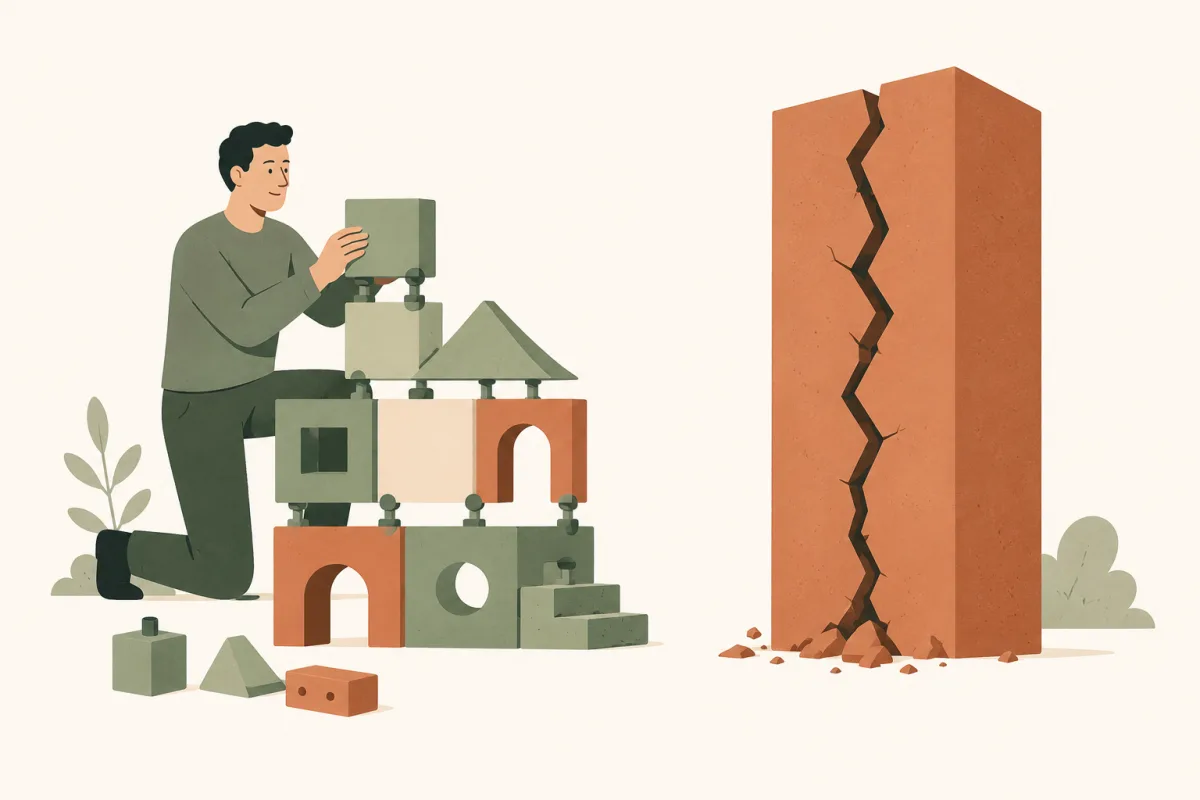
Composing pieces with clean joints holds; one rigid monolithic block cracks at the first change.
4.1 Compose rather than inherit
One word first, the whole chapter leans on it. A class is a mould: the User class states that a user has a name, an email, and knows how to sign in. It holds nobody, the way a cake tin holds no cake. Making a copy from the mould is called instantiating the class, which is what the new keyword does in most languages. That copy, an instance, is the object from chapter 2, with values of its own: Smith, smith@example.com.
class User { name; email; signIn() }
// the mould: it describes, it holds nobody

u = new User("Smith", "smith@example.com")
// an instance: somebody, with values of their own
Writing the same mould twice would be absurd, hence architecture's first question: how does one mould reuse another's work? There are only two answers. Inheriting says "an admin is a user", which the extends keyword writes: the child mould takes everything from the parent at once, without asking. Composing says "a user has a way of signing in": a separate object you plug in and swap, like an appliance on the socket from section 2.6.
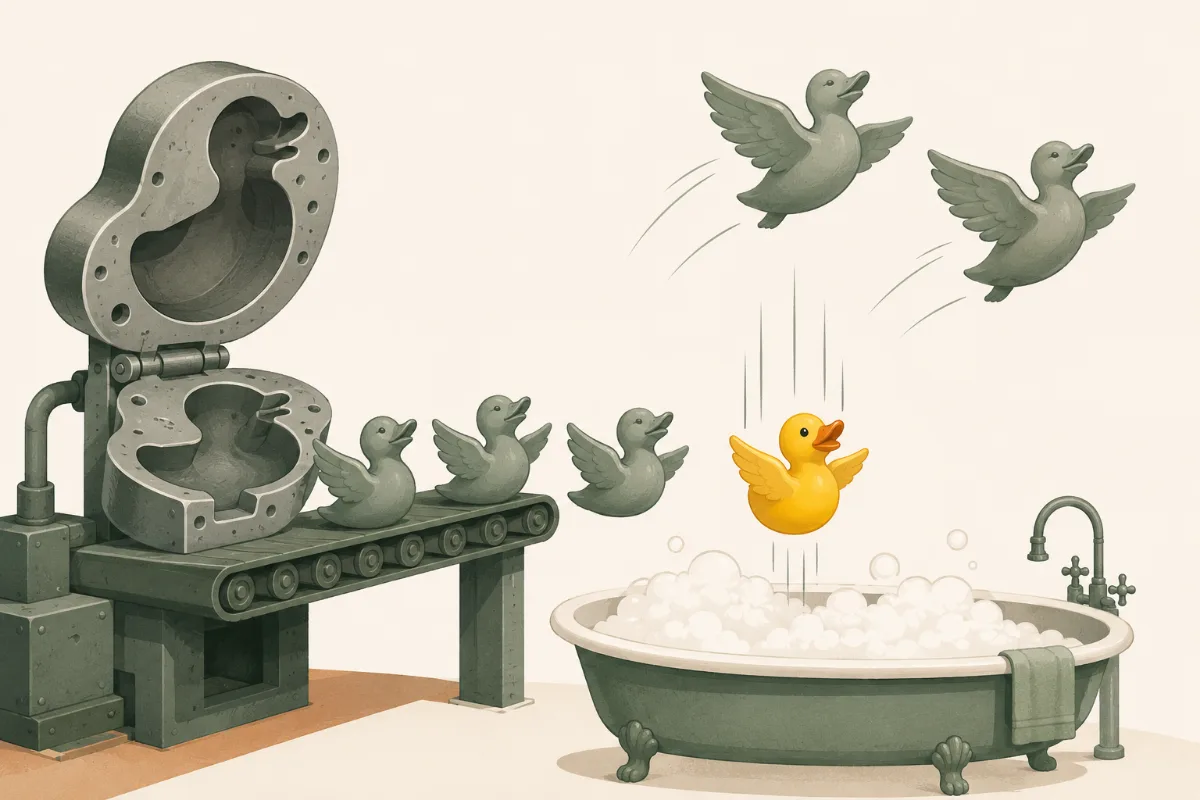
The first reflex for reuse is inheritance, because it costs a single keyword: no interface to write, no object to plug in. The trap shows up in Head First's classic example, this time with ducks instead of users: every duck inherits fly()… then the rubber duck shows up and inherits it too, though it cannot fly. The day someone improves fly() in the parent, every duck changes at once, including the one nobody had in mind when writing that line.
They all come out of the same mould, so they all inherit flight. The rubber duck does too, and it believes it.
Composition fixes this: fly() becomes a separate object you swap (real flight, or none) without touching the duck, even while the program is running.
// ✗ inheritance: flying is frozen in the hierarchyclass RubberDuck extends Duck { } // inherits fly()… but cannot fly!// ✓ composition: behavior is an object plugged in from outside, swappable
duck.flyBehavior = new CannotFly()
"Favor composition over inheritance" opens the catalogue of already-proven solutions, the patterns, which make up the next section.
A design pattern is not decoration you slap on to look serious: it is a proven answer to a recurring problem. A joiner does not invent a way to join two boards for every piece of furniture: they know the dovetail, the mortise and tenon, and they take the one the constraint calls for. A pattern is that: a named joint, proven by others before you.
Strategy: swap an algorithm at runtime, exactly what we just did by replacing the duck's flight (section 4.1);
Observer: notify a list of subscribers when a state changes;
Decorator: stack responsibilities without inheriting.
None is wizardry. A function is a value like any other (section 2.3), so nothing stops you from putting several in a list. The Observer is only that: a list of functions called back on every change.
The GoF (the "Gang of Four", the four authors of the founding Design Patterns book) sorts its 23 patterns into three families, and those three families beat learning the 23 names by heart:
Creational (how to instantiate objects): Factory, Singleton, Builder;
Structural (how to assemble): Decorator, Adapter, Composite;
Behavioral (how to communicate): Strategy, Observer, Command.
You don't memorize 23 ready-made solutions: you ask one question, "is my problem to create, to assemble, or to communicate?", and only two or three joints are left to choose from.
Above them all, the catalogue's founding principle: program to an interface, not an implementation. The interface is the list of what an object can do; the implementation is the specific class that actually does it. This is the electrical socket from section 2.6: the wall knows nothing about the appliance, only the shape of the holes. Your code works with what an object can do, never with what it is.
// ✗ to an implementation: the code is welded to a specific class
export(doc) { new PDF().write(doc) } // can only do PDF// ✓ to an interface: "something that can write()"
export(doc, output) { output.write(doc) } // PDF, CSV, HTML… : what it DOES, not what it IS
The day it must write somewhere other than a PDF, you do not reopen export(): you hand it something else. The function never needed to know what it was writing into.
And the final rule: you do not apply a pattern, you recognize it when the need calls for it. The number-one danger is over-application: forcing a problem into a pattern where a simple solution would do, like a Factory that wraps a single new: a dovetail where there is only one board.
See all 23 patterns one by one, for the curious (optional)
This book details only three, on purpose: the three families serve more often than the catalogue. If you want the whole catalogue, each pattern with its problem, its diagram and the moment it earns its place, the clearest one is Refactoring Guru's, free to read.
4.3 Depend on abstractions, invert the dependencies
Here, everything turns on the direction of the dependencies. Depending on something means needing it to work, and therefore moving when it moves. Normally the business code calls the database: the business is the one that depends.
Clean Architecture splits code into two camps. On one side the business rules, whatever is specific to your activity: how a discount is computed, when an order becomes valid, who may cancel it. That changes little, and that is where the value sits. On the other side the database, the framework (the ready-made code skeleton the application is built on), the screen. That changes often.
Its dependency rule forbids one single thing: the first camp depending on the second. Otherwise what was meant to stay stable moves every time the technology moves. Hence the inversion: the business declares an interface, the infrastructure conforms to it.
In your home, no vacuum cleaner maker decides the shape of the sockets: the house sets the shape, and every appliance conforms. If each vacuum imposed its own, you would have to break the wall open with every purchase. The business plays the wall, the database plays the vacuum cleaner.
// the business declares WHAT it needs: an interface, that is the abstraction of the titleinterface OrderRepository { save(order) }
// infra (database, API…) implements it; the business knows nothing of it// → you swap databases without touching a line of business code
Business declares the interface, the database conforms to it: the dependency arrow flips. Business code no longer depends on anything volatile.
It is the "I need something that can do X" of chapter 2, scaled up to a whole system: boundaries protect what matters from the rest. Martin goes further with a striking line: the database and the framework are details, just like the brand of the electrical wiring in a house. Your business code should not even know MySQL exists. That is why Martin frames the goal this way: a good architect maximizes the number of decisions not made. The less you commit to details early, the more options you keep open once you actually know more.
Pushed to the scale of the whole system, this principle gives Clean Architecture's four concentric circles, heirs to Alistair Cockburn's hexagonal architecture (2005), also known as ports and adapters. The innermost circle is the business core: the rules the company would apply with a notebook and a pen if the software did not exist. Around it, the application rules, the sequence of steps of one complete action: check the stock, charge the card, send the confirmation. Then the adapters (HTTP controllers, database access). On the outside, the technical details (MySQL, the framework, third-party APIs).
One rule holds it together: an outer circle may depend on an inner one, never the reverse, and never other than through an interface.
Four circles, one rule: the outside depends on the inside, never the reverse. The port (the white socket) sits on the boundary of the inside (the green circles), and the adapter, just outside, plugs into it. A real system exposes several, one per need.
In practice: the core defines an interface OrderRepository with a save() method. That is the port: the socket the core exposes outward, whose shape it defines. The adapter MySQLOrderRepository implements that port. The test adapter InMemoryOrderRepository implements the same port with a plain in-memory list. The core service calls repo.save(order) without knowing what is plugged in. Moving from MySQL to PostgreSQL: plug in a different adapter. The core does not change.
The inversion we just saw carries a letter: it is the D of SOLID, five design principles gathered under one acronym.
S (Single Responsibility): a module answers to one actor only, one group of people who drive the same kind of changes;
O (Open/Closed): open to extension, closed to modification, like the export() from section 4.2 we never had to reopen to write elsewhere;
L (Liskov Substitution): a child must be able to replace its parent without surprises, which the rubber duck from section 4.1 cannot do;
I (Interface Segregation): several small interfaces beat one huge one, otherwise it is a socket with thirty holes for an appliance that uses two;
D (Dependency Inversion): depend on the abstraction, never the concrete.
The "actor" in the S is the group that asks for a change. The example is Martin's own: an Employee class that computes the pay, produces the hours report and saves itself to the database. Three tasks, but three different people asking: accounting for the pay, HR for the report, the admins for the save. The day accounting has a calculation changed that the report also uses, HR's report breaks without anyone asking for it.
It is the most misquoted of the five. Many reduce it to "a function does one thing", which is a separate, lower-level rule from Clean Code. Martin corrects this himself in Clean Architecture, chapter 7: what you count is the number of groups served, not the number of lines.
The same dependency hygiene holds at the smallest scale, between two objects. The Law of Demeter says "only talk to your immediate neighbors": an object calls its own methods and those of objects handed to it, never a chain like order.getCustomer().getAddress().getCity() that dives into the internal structure of three strangers. The day one of them changes shape, the caller breaks. Two classics name the same flaw. Clean Code calls it the train wreck, getters, those methods that only hand back a value, coupled like railway cars. Refactoring calls it a message chain and fixes it with Hide Delegate, exposing a method that says what you want instead of the path to reach it. At the scale of a system as between two objects, the rule does not change: depend only on what you are entitled to know.
// ✗ a chain that walks through three strangers
order.getCustomer().getAddress().getCity()

// ✓ ask for what you want, not for the path to it
order.deliveryCity()
4.4 No "best practice", only the least-bad trade-off
The higher you climb, the fewer universal answers there are. The book Software Architecture: The Hard Parts puts it bluntly: "for architects, every problem is a snowflake", no two alike. The skill is not picking the right pattern, it is weighing trade-offs. Two tools for that.
The first, the architecture quantum: the smallest piece you can put online and test alone, and that can fall without dragging anything else down. A service is one part of the application put online on its own. Two services sharing the same database are like two flats behind a single circuit breaker: one cuts the power, the other is in the dark. They are a single quantum.
The test, for any diagram: "if this component changes or crashes, how many others fall with it?" That number is the size of your quantum. The question does not need a big system to be useful: on a first project it already applies to one file that three pages call. Twenty "microservices" on a shared database? A single quantum, again.
The quantum is the blast radius: anything sharing a database falls as one block.
The second, "reuse is coupling". Take the file that three pages call: the quantum asked what falls with it, here the question becomes what changes with it. Changed for the first page, the other two change without anyone asking. At system scale it is the same: sharing a business class across services propagates every change everywhere at once. Hence a counterintuitive reflex: you sometimes duplicate on purpose. Share only what is genuinely one piece of knowledge that must stay consistent (the DRY of chapter 3); for two bits that merely look alike but will evolve apart, a little copying beats a bad coupling.
Neither is settled on principle. A small quantum buys independence, sharing buys consistency, and each is paid for: one in duplication and network calls, since separate parts have to talk to each other at a distance (chapter 5), the other in coupling. You choose case by case, by what matters most here: no rule, only the least-bad trade-off.
The finest architecture dies if forty teams stack their ideas without coordination. The textbook case is the API: your application's front counter, where other programs drop off their requests, form to fill in and response format included (chapter 7 comes back to it). Forty teams that never talk, and that counter becomes the place that sends you mad from Asterix, the one with permit A38: every desk demands its own form, here the identifier changes name, there the date changes format. Every desk works. The whole sends you mad.
// ✗ three teams, three names for the same id, three dates
GET /users   → { id,     "2026-06-09" }
GET /orders  → { userId, "06/09/2026" }
GET /cart    → { uid,    1749427200 }

// ✓ one vocabulary, one format: the caller can guess everything
GET /users · /orders · /cart → { id, "2026-06-09" }
Permit A38: every desk sends you to the next one (The Twelve Tasks of Asterix, 1976).
The Mythical Man-Month, by Fred Brooks, is firm: "conceptual integrity is the most important consideration in system design." It must come from a single mind, or a very small group, or it becomes the tower of Babel.
One mind doesn't mean one person coding it all: that small group decides the form, the others fill it in. And Brooks insists: "form is liberating". Once the structure is fixed, everyone knows where their piece fits, and codes faster, not slower.
But a single vision does not survive in a document: the diagram filed in the team's documentation drifts within the first few weeks, because the code moves and the diagram doesn't. The vision has to live in the code: that is Eric Evans's Model-Driven Design. Take a business rule from section 4.3: "a paid order can no longer be cancelled". As long as it stays scattered, every screen with a Cancel button redoes the check on its own, and one of them will eventually forget it. With Evans, the rule lives in the Order object itself: call order.cancel() on a paid order, the answer is no. That object is an order in the business, not a disguised database row. The model no longer sits beside the code: it is the code.
A model made of objects needs sorting. Evans sorts his with a single question: this one, do I follow it over time or do I replace it? It is the value/reference distinction from section 2.1, raised to the business level. An entity has an identity that outlives its contents: customer 42 is still customer 42 after moving house and changing name, you follow it over time. A value object is nothing but its contents: two €10 notes are interchangeable, two identical addresses are the same address. Ask it of every object in the application: the invoice, you follow it over time, an entity; its amount, you replace it, a value object. One question, and every object finds its place.
And that sorting drives two concrete moves. Comparing: two entities compare by identity, two customers with the same name are still two customers; two value objects compare by content. Changing: a value object is not modified, it is replaced. Editing an address shared by two orders is the reference trap from section 2.1, both orders move house at once; hand the right order a fresh address, and the trap is gone.
One consequence remains, and it is uncomfortable. Many teams split the roles: the architect draws the plans, the developers build them. If the model is the code, that split no longer holds, designing means coding. The architect who never touches the keyboard ends up drawing plans that cannot be built. Evans calls this Hands-on Modelers, designers who keep their hands in the code: the same head holds the pencil and the keyboard.
The shape is set, the boundaries drawn. But this system will not live on one machine: the browser is here, the server elsewhere, the database sometimes on another continent. Between them stretches a world we have not looked at yet, with physical laws of its own: the network. Before shipping anything, you need to know how two machines talk.
« Never underestimate the bandwidth of a station wagon full of tapes hurtling down the highway. » — Andrew Tanenbaum, Computer Networks
5
Two machines talk
the network
Until now, everything happened inside one machine. The pyramid of section 1.2 already announced it: below the disk there is one more floor, the slowest of all. Here we are. One click is enough: the request, the message that asks for the page, leaves the browser, crosses cables, routers and sometimes an ocean, and comes back. That journey has laws of its own, and they look like nothing we have seen: distance costs, messages get lost, and nobody directs the traffic. The journey tells itself in five stages: what distance really costs, the tiny contract that holds the Internet together, the reliability built on top of it, sharing with nobody in charge, and what the web pays on every page.
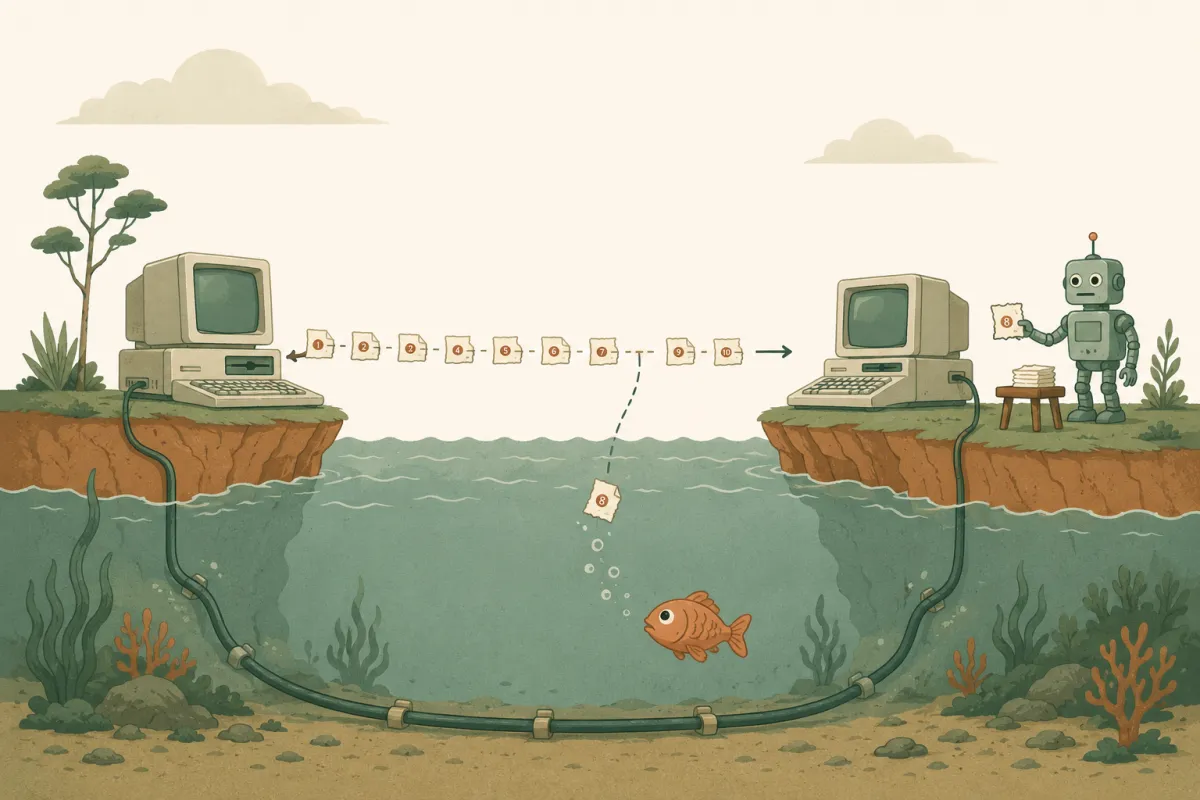
The network cuts, numbers, and loses pieces along the way. The whole art of this chapter: acting as if nothing happened, by sending a copy.
5.1 Distance does not compress
Two numbers describe a network, and they get confused all the time. Picture a motorway. Bandwidth is the number of lanes: how much data passes abreast every second. Latency is the length of the drive: how long a message takes to make the round trip. Reread Tanenbaum's station wagon, it is already driving on that motorway: its thousands of tapes give it huge bandwidth, and its six hours on the road a terrible latency. Your provider's ads only ever brag about bandwidth, all "2 Gb/s fiber". Yet it is latency that keeps you waiting.
The difference is physical. Bandwidth can be bought: one more fiber, more frequencies, more lanes. Latency cannot, you do not move cities closer: it is bounded by the speed of light. In fiber, the signal travels at about two thirds of it, and a Paris–New York round trip will never drop much below 60 ms. No subscription shortens the Atlantic.
Yet latency is what governs the web. Mike Belshe's founding measurement, Belshe being one of the fathers of the future HTTP/2, taken up by High Performance Browser Networking: past a few megabits per second, doubling the bandwidth changes almost nothing in page load time. Cutting latency speeds it up almost linearly. The reason: an average page is dozens of small resources, images, styles, fonts, scripts, hence dozens of round trips that add up. The web is not limited by the width of the road, it is limited by its length.
Belshe's measurement: past a few megabits, widening the road no longer helps. Shortening it always does.
How is the journey organized? First, the network never carries your message in one piece. It cuts it into packets: small independent chunks, each carrying the destination address, forwarded hop by hop by routers, those switch operators of which your home box is the first. Two packets of the same message may take different routes and arrive out of order.
Second, the genius of the Internet lies in what it does NOT promise. In the middle of everything, one single shared protocol, a conversation rule every machine agrees on: IP (Internet Protocol). Its contract is tiny: "I do my best" (best-effort). A packet may be lost, duplicated, delayed, reordered, and IP has promised nothing but to try.
That contract climbs all the way into your code. A network call is not a function call: it can fail, drag, never answer, and that is no accident, it is the contract signed at the base. Hence three developer reflexes, from the very first line that crosses the network: set a delay beyond which you stop waiting (the timeout), plan to retry, and plan the error message, rather than a page that spins forever.
Below, the media have changed for 50 years. Above, so have the applications. The waist has not moved: IP and its "I do my best".
Why promise so little? Because a simple middle is a universal middle. Reliability is built at the endpoints, sender and receiver, never in the middle (the so-called end-to-end argument). The hourglass waist stays poor enough to run over any medium, including those that did not exist at its birth: fiber, 5G and satellite arrived without IP changing a line. You will recognize chapter 4 here, and its "program to an interface, not an implementation": IP is the interface, and on both sides, applications and physical links alike, everyone stays free to vary.
IP does its best, but its best is not enough for everything: a bank transfer cannot afford to get lost along the way. Something has to bridge the gap between what IP promises and what an application actually needs. That is the job of TCP, sitting right above IP. Its mechanism copies registered mail. Every byte sent carries a tracking number. The receiver mails back a proof of receipt saying what actually arrived. And if a receipt does not come back in time, the sender sends the packet again, without asking why it went missing. A lost packet, a packet that arrives twice, packets that arrive out of order: those three moves are enough to repair all of it. The application above sees none of it. It believes it is driving on a perfect road, while the network underneath is nothing of the sort. This is reliability built at the endpoints, exactly as the hourglass intended.
This service has two prices. The first is paid at the door. Before a single useful byte, the two machines exchange a three-way handshake: "I want to talk", "got it, me too", "got it". That is one full round trip, so 60 ms lost before anything begins. And it has to be paid again on every new connection.
The second price is subtler: how fast should you send? Waiting for each packet's acknowledgment would leave the road half-empty. So TCP sends a whole convoy of trucks before hearing back about the first one, rather than one truck, silence, then the next. What remains is finding the right length for that convoy, which is called the window. It is the bandwidth × delay product: multiply the throughput by the round-trip time, and you get what the road holds at any instant, every truck that has left but not yet arrived. At 100 Mbit/s with a 60 ms round trip, close to a megabyte is permanently in flight, already sent, not yet confirmed.
The handshake costs one round trip before the first useful byte. After that, TCP does not wait for one acknowledgment per packet: several travel abreast, that is the window.
Thanks to TCP, you never handle a lost or out-of-order packet: it is all repaired before your code sees the first byte. In exchange, two delays remain that no line of code will erase: the handshake and the window.
Millions of connections share the same cables, and nobody hands out speaking turns. Every router holds waiting packets in a queue, like cars before a toll booth. If everyone sends at full speed, the queue overflows and the router drops the extra packets. Everyone then resends what they lost, which makes the jam even longer. That vicious circle has a name, congestion collapse, and it happened for real: in the mid-80s, a link between Berkeley and a nearby lab dropped from 32 useful kbit/s to 40 bit/s, 800 times less. No cable was cut, no machine was down, and yet nothing was getting through.
The remedy is a rule of the road that every machine applies to itself, with no referee. Speed up gently, one window notch more per round trip. Then, at the first lost packet, cut your speed in half at once. It is how a careful driver behaves: you pick up speed little by little, and you lift off the moment you see brake lights ahead, without knowing what is blocking further on. Loss is no longer just an accident to repair: it becomes the signal that the road is saturating, and everyone brakes on their own upon seeing it.
Climb gently, halve on loss: the sawtooth hugs the capacity without collapsing. The Internet holds because every machine brakes on its own.
This coded politeness is called AIMD (Additive Increase, Multiplicative Decrease). Modern variants refine the curve (CUBIC climbs back faster, BBR measures the road instead of waiting for loss), but the principle has not moved since 1988: a commons with no policeman, held together by everyone's restraint.
You have already seen that caution at work. Start a large download: the speed on screen climbs over the first few seconds instead of starting at full throttle. The connection does not know the capacity of the road yet, so it begins small and climbs step by step. A connection open for a while, one that had time to widen its window, starts much faster: hence the value of opening as few as possible, which the next section will put numbers on.
HTTP is the language browsers and servers speak: ask for a page, answer with its contents. But an HTTP request never travels alone: it is text handed to a TCP connection, itself carried packet by packet by IP. Back to your daily life: a visitor types your site's address. Before the first byte of the page, everything we just saw gets paid, round trip by round trip. Four steps follow one another, each waiting for the previous one.
DNS: the web's directory turns the site's name into an IP address, because a router knows how to forward towards an address, never towards a name. One round trip.
The TCP handshake: the two machines agree to open a reliable connection, the one from section 5.3. One round trip.
TLS: encryption, the padlock of https. The two machines exchange keys so that nobody along the way can read or alter what follows. One to two round trips.
The request: at last, the browser asks for the page. One final round trip before the first useful byte.
At 60 ms of latency, count around 300 ms before the first response. On mobile, add the radio waking up: to save battery, the phone's chip drops its link with the antenna as soon as it is idle, and has to re-establish it before sending anything, which costs tens to hundreds of milliseconds more.
Each layer waits for the previous one: the toll adds up in round trips. That is what HTTP/2 and then HTTP/3 set out to shave.
That toll explains a decade of workarounds. HTTP/1 can only ask for one resource at a time per connection, and a browser opens only six of them per domain. So developers worked around it in two directions. First, cutting down the number of requests, by gluing files end to end and every icon into a single image. Then, dodging the limit, by spreading resources across several domains to earn six more connections each time. HTTP/2 fixed the problem at the root: every request travels interleaved over one single connection, so one handshake only, and a window that stays open and wide. Those old tricks became anti-patterns: spreading across domains reopens exactly the connections the protocol had just saved. HTTP/3 goes further still: it drops TCP for a new transport, QUIC, which merges the handshake and the encryption into a single round trip instead of two or three.
The chapter's moral is the golden rule of web performance: the fastest request is the one you never make. Three moves follow from it, each answering one lesson of these five sections. Cache, so you never ask twice for what you already have. Bundle, so you pay fewer round trips. And move the content closer to the visitor, since no subscription shortens the Atlantic. You will meet those three moves again in chapter 6, at the scale of the whole service.
Two machines can now talk, at a price we finally know: round trips that add up, packets that get lost. What remains is turning that into a living service. Because an architecture, however elegant, is only a hypothesis until it is proven, and the dependency rule of chapter 4 cannot be checked by eye: it takes a test that fails if a boundary is crossed. Prove it, ship it, hold it under real load: the shape must meet the world.
« Talk is cheap. Show me the code. » — Linus Torvalds, 2000
6
Prove it, ship it, hold the load
flow
Between code that "works on my machine" and a service that holds in production, the machine open to the public where thousands of people actually use it, lies a chasm. Crossing it is not about coding more: it is about installing a flow that proves, ships and holds, without heroics and without all-nighters.
Seven links make up that flow. Proving first: writing the test before the code, then hunting bugs without taking anything on trust. Shipping next: keeping the history of everything you write, making work circulate instead of piling it up, and shipping so often that it stops being an event. Holding the load at last: taking a million readers, and finding out what guarantees cost once the data no longer fits on one machine.
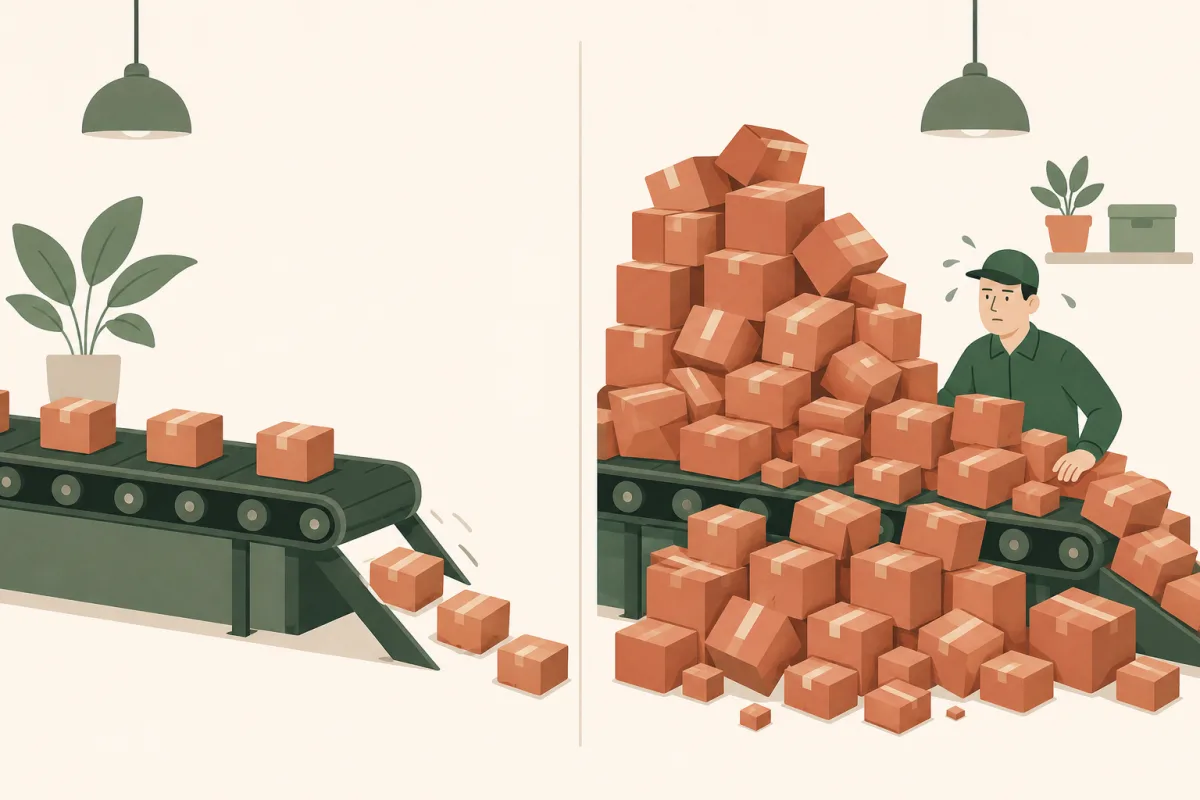
Steady flow ships effortlessly; a saturated queue freezes everything, even when everyone is flat out.
6.1 Test first
A test is a small program that calls your code and checks its answer: "sum(5, 3) must return 8". Writing that test before the code inverts the usual order, and that changes everything: you define the expected result before knowing how to get it. The cycle repeats endlessly: Red (a failing test), Green (the dumbest code that passes, even hard-coded), Refactor (clean without breaking).
// 1. RED: the test BEFORE the code
test('5 + 3 = 8', () => expect(sum(5, 3)).toBe(8)) // ✗ fails// 2. GREEN: the dumbest code that passes (yes, "8" hard-coded)function sum(a, b) { return 8 } // ✓ green, no shame// 3. REFACTOR: a 2nd test breaks the "8", you generalizefunction sum(a, b) { return a + b } // ✓ clean, still green
You loop forever: a failing test, the minimal code that makes it pass, then you clean up, and on to the next.
You never clean up while a test is failing: green first, tidying afterwards. The goal, in four words: clean code that works.
But the deepest effect of TDD (Test-Driven Development) is not catching bugs, it is emergent design: writing the test first, you design the API, that front counter from section 4.5, from the point of view of whoever comes to drop off a request, not of whoever staffs the desk. The code becomes modular and decoupled because it has to be testable.
You don't draw the architecture up front, you let it emerge, test after test. The short functions of chapter 3 and the clean dependencies of chapter 4 then become consequences rather than acts of willpower.
And the economics back the discipline: the same defect costs ten to a hundred times more when you find it in production rather than here, at the keyboard (Code Complete). Testing early isn't zeal, it's the cheaper path.
Tests catch most bugs; the survivors are the ones that look impossible. A programmer who can log in sitting down but never standing up. A Chicago banking terminal that crashes the instant a customer types "Quito". If a bug looks impossible, it means one of your certainties is false and you do not yet know which one. That is all Bentley's rule says: "debugging is usually about refusing to believe." Refusing to believe what you take for granted, the line you have reread ten times, the configuration you are sure you deployed, the data you assume is clean. Until those certainties are checked one by one, the explanation stays hidden behind one of them.
Rick Lemons, whom Bentley quotes, said the best debugging lesson of his life had been a magic show. Six impossible tricks in a row, not one of them actually impossible: the magician was simply pulling your eyes to the side where nothing was happening. An impossible bug works the same way, you just have to look at the other hand.
Our two examples then untangle themselves. Sitting down, the programmer typed his password without looking at the keyboard; standing up, he looked at the keys, and two of them had been swapped. As for the terminal, it checked whether the input started with quit, its command to exit: "Quito" starts with "quit".
Your own impossible bug will look more like this: everything works on your machine, and nothing works in production. Stop staring at the code that "cannot" be wrong, and ask the only useful question: what is different between the two? The answer is almost always outside the code. A setting that does not hold the same value on both machines, a cache serving an old answer, two requests arriving in the opposite order, a line of configuration forgotten at deploy time.
And one move works absurdly well once you are stuck: explain the bug out loud, to a colleague or even a rubber duck. McConnell calls it confessional debugging: developers routinely find the answer mid-sentence, before the listener says a word. Reconstructing the causal chain for someone else forces your brain from hunting to understanding.
Versioning is the flow's safety net: you change anything, you experiment, you work with others without colliding, and you can always go back. Proof by fear: you just wiped out three days of commits (a commit: a dated, signed snapshot of the whole project, Git's basic unit) with a mis-aimed git reset --hard. Panic. Except in Git, almost nothing truly disappears, and understanding why changes everything.
Git is not a history folder: it is a database of objects, each addressed by its fingerprint: a short code computed from the content by the SHA-1 function, called a "hash". The same content always yields the same hash, so nothing is lost or silently forged. Everything chains by pointers:
Every object is immutable, named by its hash. A branch is just a pointer you move; nothing truly vanishes.
git cat-file -p HEAD # shows this commit: its tree, its parent, the author
And before entering that graph, a file passes through three zones, which is why git add exists:
git add photographs a version for the next commit; git commit seals it into the graph. Hence you can commit only part.
git add saves nothing: it photographs the exact version of a file for the next commit. The commit seals that photo into the graph. That is why you can commit only part of your changes.
And your three wiped days? The commit before the reset is still there, an immutable object in the database; git reflog lists the recent hashes, you point a branch back at it, and it all returns. The net only catches what was committed: a change you never committed really is gone. Hence the reflex: commit often. Understanding the graph is how you ship without panic.
The Phoenix Project teaches, through a novel, a merciless factory law: a task's wait time explodes as a resource (a server, a team, a person everything depends on) approaches 100% utilization.
wait time ≈ % busy ÷ % free // the queueing law
Nearly flat, then vertical: 50/50 = 1×, 90/10 = 9×, 99/1 = 99×. Slack is not waste; it is what lets work flow.
Why the wall? At 99% utilization, no slack is left to absorb the unexpected: one task that drags, one burst of arrivals, and the queue swells with no way to drain. At 50%, the spare time soaks up those bumps as they come.
"Everyone is flat out" and "nothing moves" are therefore the same sentence. The remedy is counterintuitive: limit work in progress, stop starting things to actually finish some. Slack is not waste: it is what lets work flow.
A second flow hides under the same word: the one in your own head. Designing or coding takes fifteen minutes of climbing to lock in, and an interruption does not cost five minutes, it costs the whole climb back, near twenty (DeMarco and Lister measured it in Peopleware). Slack protects this flow too: a calendar pinned at 100%, like a server at 100%, lets nothing truly move.
And the data is blunt: in the Coding War Games (a tournament of hundreds of developers the same authors ran), the biggest productivity gap came not from language or experience but from the work environment. Working somewhere quiet, rarely interrupted, the best delivered a third more bug-free code. It is the environment that makes the gap, not the talent.
6.5 Shipping often is less scary than shipping rarely
The big release prepared over months is a cannon shot: once the ball has left, nothing can be corrected, and the target has had months to move. A burst of small deliveries does the opposite: each shot shows where it lands, and the next one corrects the aim.
The machine that makes the burst possible has a name: CI/CD. Continuous integration (CI) replays the build and all the tests of 6.1 on every commit: nobody merges on red. Continuous delivery (CD) extends the belt: every version that goes green is packaged, ready to ship to production in one click. Deploying stops being an event; it is the belt's normal output.
It remains to prove that the burst beats the cannon. Accelerate, the book by Nicole Forsgren, Jez Humble and Gene Kim, measures it: teams that deploy often and with loose coupling (shipping without asking another team's permission, the quantum of chapter 4) are both faster and more stable. The expected trade-off (move fast = break more) just isn't there in the data.
You get there with tools that make mistakes cheap: feature flags (ship code switched off, flip it on, flip it back off at the first sign of trouble) or blue-green deployment (two versions ready side by side, a reversible switch from one to the other). Both rest on the same principle, set down by Humble and Farley back in 2010: deploying (putting the code in place) is not releasing (making it visible to users). That is what removes the fear: a blunder is fixed with a flip, not an all-nighter.
Deployment already happened: both versions are running. Release is just a flip of the switch, and a blunder is fixed the other way, with one flip back.
And you, where do you stand? Accelerate gives four numbers to find out objectively, the DORA metrics (DevOps Research and Assessment, the research team behind the book):
lead time: time from a commit to production. Measured with two timestamps Git and the CI already have. The best: under an hour;
deployment frequency: how often you ship. Counted from the CI logs. The best: on demand, several times a day;
MTTR (Mean Time To Recovery): time to restore service after an outage, from the start of the incident back to normal. The best: under an hour;
change fail rate: deployments followed by a rollback (going back to the previous version), a hotfix (a fix pushed in a hurry) or an incident, divided by the total. The best: 0 to 15%.
These four numbers are read together, with no formula or combined score: the first two measure speed, the last two stability. And when you plot the four numbers from thousands of teams, the teams sort themselves into three families: high, medium, low performance. The best win on all four at once while the weakest ship every six months (State of DevOps surveys, 2014-2017). The gain is human too: "deployment pain" leads to team exhaustion if left unchecked, and that pain is exactly what these practices (shipping often, small, reversible) drive down.
One last link conditions all the rest: seeing. MTTR assumes you know there is an outage. Without logs (the journal of what the application does), metrics (its vital signs: requests, errors, latency) and an alert that wakes someone up, you learn about it from an angry tweet. You only hold what you can see.
The service survives deployment. The load remains: a million readers on a single database, and every query waits in the same line.
A word on how that data is stored, since everything else depends on it. A relational database keeps it in tables, grids with fixed columns, one per kind of thing: a Customers table, an Orders table. Each row carries a number of its own, its key. So an order does not copy the customer, it keeps the number. Gluing the two back together when reading is a join: for each order, go fetch the customer row carrying that number. Nothing is written twice, and it is that gluing which costs when the tables grow. (Nothing to do with the hash table of 1.3: same word, different thing.)
The order stores only the customer's number. The join fetches the matching row and glues the two together at read time.
On the read side, you defend in three steps. First the index, which avoids scanning the whole table, the way a book's index saves you from leafing through 500 pages. Then the cache, which keeps already-computed answers close by, ready to be served again as-is (Redis, a CDN: the pyramid of chapter 1, at datacenter scale). When that is no longer enough, you copy: replication duplicates the database across several machines, and each one serves its share of the reads.
The price of copying: replicas always run a little behind. You post a comment (written on the primary machine), you reload the page (read from a copy that has not caught up yet): it is gone.
Copying does not help writes: every copy would have to absorb every write. Writes you split. Sharding spreads the data in slices (customers A-M here, N-Z there), and each machine only takes its share.
The asymmetry in one picture: with copies, every write has to reach all of them; with slices, it only lands on its own.
And this is where the trouble starts: data scattered across several machines is exactly the situation where the guarantees die.
On a single database, you live protected without knowing it. A transaction there is all-or-nothing: the transfer debits AND credits, or does nothing at all. That is the ACID contract (a transaction that is atomic, consistent, isolated, durable), and the engine gives it to you for free: if step 2 fails, it undoes step 1 on its own (the rollback).
Then the service grows, the data spreads across several machines, and that contract dies in silence: nobody can undo "everything" anymore, each machine only sees its own piece.
New anomalies appear, invisible on a single database. The nastiest one, write skew: two transactions, each perfectly valid, that break a rule together. The book's example: a hospital requires at least one doctor on call. Alice and Bob, the last two on call, sign off at the same moment. Alice's transaction checks "is Bob still there? yes" and commits. Bob's checks "is Alice still there? yes" and commits. Each saw a world where the rule held; together they leave zero doctors. No error was ever raised anywhere.
Green + green = red: each transaction committed against a world where the rule still held; together they break it without triggering a single error.
With no global rollback, you write the undo by hand: that is the saga. Placing an order = reserve the stock ①, charge the card ②, create the shipment ③; if ③ fails, your own code triggers the refund of ② then the release of ①. What the engine used to do for free becomes your job, step by step.
This trap is not waiting for you only at the scale of big distributed databases. Two threads of execution inside the same program (two goroutines, two threads) reading and writing the same variable replay write skew in miniature: each acts on a world already stale, and that is called a race condition. Same remedy as in the database: lock the access (a mutex, the lock that lets one thread through at a time), or better, do not share at all.
The distributed-systems moral fits in one line: the network lies, the clock lies; "suspicion and paranoia pay off".
A system proven, shipped and held under load is finally ready to meet its real users. And that is exactly where technical certainties collide with reality: a hurried human who does not read, a team that grows, an attacker who probes. The tech was only the means; the product for humans is the end.
« Design is not just what it looks like and feels like. Design is how it works. » — Steve Jobs, 2003
7
Software is for humans
product, team, attacker
Everything above serves one purpose: a human, at the screen, who wants to get something done. And around them, other humans: the other developer calling your API, the team that builds, and the attacker hunting for the flaw. This chapter looks at code through those people's eyes.
Good software is grasped without a manual, by everyone, including the people we forget.
7.1 Don't make me think
A user does not read a page, they scan it, and every half-second of hesitation is a friction that drives them away. Hence the law usability consultant Steve Krug laid down in 2000, which gives the book its title: don't make me think. Conventions beat creativity (the magnifier top-right, the cart next to it) because the user finds them without thinking, on every site they already know.
Navigation is not a feature of your site: it is the site, the same way the building, the aisles, and the cash registers are not extras added to a store: they are the store. Without them, there is nothing to enter, nothing to find, nowhere to pay. The reason: the web has no physics. In a store you know appliances are "at the back left" because you walked there. Online there is no back, no left, no up. Navigation stands in for all three. A visitor who does not know where they are, where they came from, or how to search cannot do anything at all.
The trunk test reveals whether it works. Imagine being blindfolded, driven around, and dropped on a random page inside a site. That is exactly what happens to anyone who arrives from Google on your page 7. Squint: what site is this? What page? What are the major sections? Where am I in them? How do I search? If those do not pop off the page in twenty seconds, the navigation has failed. Finding those problems costs nothing: three users, one morning a month, a debrief over lunch. Krug observes that the first three users already run into most of the serious problems. Frequency beats ceremony.
Navigation is only part of it. Every visitor arrives with a reservoir of goodwill that each bad decision drains. You spent twenty minutes filling your cart: $45. You click "checkout". Shipping: $12. You close the tab. That is the reservoir run dry, by one number hidden too late. Filling it is the opposite: be transparent, forgive a format slip, never block the way with an animation.
An API (application programming interface) is the contract by which one program calls another, most often over the web. Its universal vocabulary is the HTTP verbs: GET to read, POST to create, PUT/PATCH to update, DELETE to remove. They state intent without reading the docs: GET /users/42 guesses itself. And the golden rule of Arnaud Lauret, the book's author, is consumer-first: you don't start from your database, you start from what the caller wants to do, draw the ideal response for them, then build backwards, all the way to the database.
Three rules round out the contract:
Predictable names grant superpowers: whoever has seen one route (an address of the API, like /users/42) can guess all the others.
Generous errors: say what is wrong, where, and all at once, not one complaint per attempt.
Minimal data: the safest data is the data you never send: expose the bare minimum.
// ✗ guessed by nobody           // ✓ guessed by everyone, and standard
{ "ACTBLNDFPRTF": true }        { "overdraftFacility": { "active": true } }
A blind person does not see your button; their screen reader announces it, as three pieces of information: a name (the text read out), a role (what kind of thing it is), a state (checked, open, disabled). When a native HTML element cannot express one of these, the ARIA (Accessible Rich Internet Applications) attributes, prefixed aria-*, let you supply it explicitly:
A clickable <div> has no role and no state: to a screen reader, it does not exist. Hence the first rule of ARIA: use the right HTML element, which provides all three for free. All of this is framed by a global standard, the WCAG (Web Content Accessibility Guidelines): four principles (Perceivable, Operable, Understandable, Robust) and three levels (A, AA, AAA). Two concrete moves cover the essentials: enough contrast (a 4.5:1 ratio on text), and keyboard navigation.
/* ✗ the most common mistake: removing the focus outline */
button:focus { outline: none; }
/* ✓ a visible focus: the keyboard user sees where they are */
button:focus { outline: 2px solid #005fcc; }
The ultimate free test: drop the mouse, walk your page with the Tab key. If you lose track, a keyboard user does too.
So far we have looked at software from the outside: the user, including the one we forget, then the developer who calls the API. Now let us look at who builds it. The organization itself is an interface. Conway's law: a system copies the communication structure of the organization that builds it. Four teams that talk poorly will produce four modules that fit poorly, like it or not.
The same drawing as the quantum (ch. 4), on the human side: one shared table force-couples the three teams; three databases, and each ships alone.
Team Topologies turns the law into a lever: if you want a certain architecture, organize the teams for it first. The hidden constraint is cognitive load: a team can only hold a bounded amount of domain. So you split the system along its fracture planes, its natural seams, most often the business domain. And the book gives the playbook, four team types:
stream-aligned: one team = one product, shipped end to end (the default case);
platform: provides internal tooling so the others ship without waiting;
enabling: helps a team level up, then steps away;
complicated-subsystem: maintains a piece too specialized to share (a calculation engine, say).
That fracture line along the business has a twin on the model side: Eric Evans's Bounded Context, a boundary within which every domain word keeps a single meaning. Two teams that share an "Order" object without that boundary end up with two incompatible definitions in the same table (the purchasing team means a purchase order, the warehouse means a delivery order) and the monthly report that crashes. Drawing the boundary, one team, one model, a database of its own, is what lets "Order" mean something else elsewhere without breaking anything.
Either way around, the lesson is the same: drawing the teams is already drawing the system.
7.5 Adding people to a late project makes it later
Intuition says: project is late, add developers. It is false, and it has a name, Brooks's law. The work divides badly, each newcomer must be trained (by the veterans, whom you therefore slow down), and above all they multiply the communication channels.
communication channels = n × (n − 1) ÷ 2
 5 people → 10 channels        // manageable
15 people → 105 channels       // half the time goes to coordination
From 3 to 6 people, the channels jump from 3 to 15: every newcomer multiplies the lines, not just the hands. At 15 people: 105 channels.
"The man-month as a unit for measuring the size of a job is a dangerous and deceptive myth. It implies that men and months are interchangeable." They are not: nine women do not make a baby in one month.
If headcount does not drive performance, what does? Cohesion. DeMarco and Lister call a jelled team one so tightly knit that the whole beats the sum of its parts: few people leaving, a shared identity, shared pride. You cannot manufacture one on demand, only create the conditions. But you can kill it fast, and they have a word for it: teamicide. Watching people instead of trusting them, scattering them into separate offices, imposing deadlines everyone knows are fake, breaking up a team that works the moment a project ends: any one of these management reflexes is enough to crack it.
The chapter's last figure, the least friendly: the attacker. First surprise: they did not choose you. Attacks are industrial: bots scan the web around the clock, with no particular target, and you are not attacked because you are interesting, but because you are reachable. Hence the thesis of Web Application Security, Andrew Hoffman's book: you only defend well what you know how to attack. The book is itself organized like a real attack: reconnaissance first (map the application, look for the service entrance rather than the front door), offense next, defense last.
What does the attacker find? Almost always the same sin: data coming from the user that the code treats as code, or takes at its word. SQL injection shows the whole mechanism. Your search engine pastes whatever the visitor types into a query. The attacker does not type a name: they type a quote that closes your text, then their own command:
search typed : '; DROP TABLE users --
query executed: SELECT * FROM products WHERE name = ''; DROP TABLE users --'// ✗ the quote closes the text: what follows becomes an ORDER
The users table was just deleted by a search form. The two cousins play the same note. XSS (Cross-Site Scripting) injects not SQL but HTML, which will run in other visitors' browsers. And mass assignment slips an extra field into the request, which the server saves without a second thought:
POST /api/profile  { "name": "Alice", "isMember": true }
user.update(req.body)   // ✗ isMember goes through → Alice self-promotes
The defense reads as a mirror image and holds in one principle: never trust the input. Against injection, prepared queries: the input travels separately from the query and can never become code again. Against XSS, escape everything you display: turn special characters into harmless text (a tag's < becomes <, which the browser displays instead of executing). Against mass assignment, a whitelist of accepted fields. And on top, defense in depth: each layer protects itself, from the browser to the database, so that if one gives way, the others hold.
Same malicious input, same layer giving way: only the stacking changes the outcome. That is the whole bet of defense in depth.
One last reflex to copy from the people in the trade: they say "mitigations", never "fixes". You reduce the risk, you do not erase it; no defense is ever final.
This whole craft, from the bits up to the team, has just been shaken by an entirely new actor able to write code on demand: AI. It does not replace the prior knowledge, it makes it more necessary than ever: someone has to judge what it produces, and judging well demands precisely everything we have just climbed.
« Perfection is achieved not when there is nothing more to add, but when there is nothing left to take away. » — Saint-Exupéry, Wind, Sand and Stars, 1939
8
Coding in the age of AI
the last link
A new floor has settled on the six below: a machine that writes code on demand. The question is no longer "can AI code?" (yes, often), but "what is left for the human?". One expects a technical answer, some corner the machine cannot code yet. The answer lies elsewhere: what is left for the human is deciding whether what the machine produces is correct, safe and in the right place. And that ability to decide is exactly what the six floors you just climbed have built: you know how to recognise an honest name, an architecture that holds and a test that proves something. You did not make that climb for nothing: everything you learned on the way up is precisely what the arrival of AI makes indispensable.
Before climbing this last floor, one confusion to clear. "Doing AI" today almost never means training a model: it means calling an already-trained one and building around it. Nobody redraws the map of the world to show directions on their site: you embed Google Maps. The AI engineer does the same: the model is their map of the world, drawn by someone else. Their work starts after that: what you send the model, what you do with its answer, and how you check the whole thing. That is what engineering means in AI Engineering, the book by Chip Huyen that feeds this chapter: everything plays out around the model, not inside it.
AI hands over the instruments at full speed; the human holds the scalpel and decides the move.
8.1 AI generates the probable, not the true
A language model does not know what is true: it produces, word after word, the most probable continuation of what came before. Hallucination is therefore not a bug to be fixed one day, it is the very mechanism that makes it work: "anything with a non-zero probability, no matter how farfetched or wrong, can be generated by AI". Ask it for the author of an obscure book: with the very same confidence, it will hand you a plausible, false name.
Trust therefore gets calibrated by the nature of what you are reading. The logic of an argument can be judged on the spot: everything is right in front of you. A reference (a function name, an option, an API), on the other hand, always gets verified: a name that "sounds right" is exactly what a generator of the probable knows how to produce. Good news, execution does not lie: call a function that does not exist and it crashes, compiled language or not. The line still has to run, though: an error only shows up on the path you actually take, and that is exactly what a test guarantees. Configuration options are a different story: an invented option is often silently ignored, because many libraries skip unknown keys without complaint. The runtime error remains your best ally against the model's confidence; silence, on the other hand, proves nothing.
The consequence governs the whole chapter: you never trust blindly, you verify, and you design the system around that uncertainty rather than against it.
A model fails first when it lacks information. Giving it the right context at the right moment has become the central skill of the trade. The go-to pattern is called RAG (Retrieval-Augmented Generation: generate while leaning on retrieved documents). The principle: fetch the relevant documents from an external base and paste them into the prompt (the message you send the model), so it leans on supplied facts, not its fuzzy memory.
Concretely, this is what your coding assistant does when it answers correctly about a whole project: the project does not fit in the prompt, so the assistant goes and fetches the right pieces. Each tool has its method: Claude Code (Anthropic's AI coding assistant) fires grep searches (looking for the exact word across all files), Cursor (an AI-powered code editor) indexes the project as vectors to search by meaning. Searching by meaning rests on the embed function: it turns a text into a vector, a list of numbers encoding its meaning, and two texts about the same thing get neighbouring vectors:
question = "Where is VAT calculated in this project?"
excerpts = project.search(embed(question), top_k=3)
# 1. top_k=3: keep the 3 passages of YOUR code# whose meaning is closest to the question# → ["function grossPrice(net) { return net * 1.2; }", …]# found without the word "VAT": search by meaning
prompt = f"Answer from these excerpts: {excerpts}\n\n{question}"# 2. paste the excerpts into the prompt, with the question
answer = model(prompt)
# 3. the model answers by reading your code, not guessing
The model no longer digs through its fuzzy memory: it reads the excerpts just handed to it, then answers. From one tool to the next, only step ① changes: grep matches the exact word, embed matches the meaning.
Context is also shaped in the prompt itself, and the difference is brutal:
# ✗ vague → the model guesses, unpredictable answer"it's broken, fix it"# ✓ role + context + enforced format → usable answer"You are a senior PHP dev. This test fails (message below).
Propose the minimal fix, as a diff, without rewriting the rest."
A session with an assistant starts from scratch: every time, you would have to repeat the project's conventions, the commands to run, the known traps. The fix: write those instructions once and for all in a file at the root of the project, Claude Code's CLAUDE.md, which the assistant rereads at the start of every session. It is the difference between re-explaining the job to an intern every morning and setting up a desk where everything is already in place. The trade has named that work context engineering: preparing the assistant's working environment, so that even a mediocre question produces a good result.
A good result, precisely: who judges that? The real bottleneck hides there, in evaluation, not in the model. For code, part of the verdict is automatic: it compiles, the tests pass. But that verdict is only a floor, not a grade. Green tests say nothing about readability, about the place in the architecture, about the security flaw lying dormant. The real judgment of code is multi-criteria, and the human carries it.
For an answer in plain text, there is not even a floor: nothing ever crashes. The grid has to be built yourself, question by question:
nothing invented?
do the quoted facts come from the supplied excerpts?
is the requested format respected?
Without a grid you iterate blind, exactly like code without tests (chapter 6).
One last word you will meet in the trade: fine-tuning, retraining a model on your own data. Chip Huyen's criterion fits in one formula: "finetuning is for form, and RAG is for facts". Fixing the form is a job for teams building AI products, costly in data, compute and maintenance: a developer coding with the model will probably never touch it. Your remedy is always called context: the right excerpts, the right instructions, at the right moment.
Hand AI a whole feature and you get two thousand plausible lines back. If they do not work, nobody can tell which of the dozens of stacked choices is at fault: not you, not the AI. Coding with AI is not a sprint, it is a short loop: one atomic task (one small thing at a time), the tests green, the diff read (the exact list of lines the AI added or removed), a commit, then the next one.
Every link of that loop comes down from the previous floors. Test-first (chapter 6) becomes an executable contract: it turns "make something that works" into "make these assertions pass" (the checks written in the test), a target the machine can aim at and rerun on its own. Git (chapter 6), for its part, takes back its role as the net: you commit a clean state before letting the AI loose, and the diff tells you what the AI really did, not what it claims it did.
The most advanced tool, the autonomous agent (Claude Code is one), is just that loop automated: gather the context (the ticket, the files involved, the last error), act, verify, repeat. Everything plays out on the third beat: the verification. It must be an external, objective signal: the tests, the build (the automatic assembly of the application), the linter that rereads code without running it. Never the agent's opinion of itself: it will always tell you it succeeded, with the same aplomb it puts into inventing a function that does not exist. Having a second agent reread the work with fresh eyes helps, because it has nothing to defend. But its verdict is still an opinion. Tests have no opinion.
While it is red, the loop replays; only on green do you read the diff, commit, and take the next task.
AI does not just change how you write: it redraws the team. Brooks dreamed in 1975 of a surgical team: one brain holding the scalpel (designing, deciding), surrounded by specialized assistants. One knows all the code, another remembers every corner of the language, a third forges the scripts and tools.
The dream ran into a dilemma Brooks called cruel: a few good minds keep the system coherent, but move too slowly for large projects. AI dissolves the dilemma: you remain the single brain, it supplies the hands. The assistant knows all the code, remembers every corner of the language, forges the scripts, and it plays all three roles at once. The model imagined fifty years ago becomes practical the day the hands are a machine. Brooks's law (chapter 7) loses nothing: these hands cost neither training nor a communication channel. Their training fits in the context you hand them (section 8.2), and they add nobody to the meeting.
Remember Conway (chapter 7): the shape of the team copies itself into the system. A team redrawn as one brain and machine hands will produce a different piece of software, and you are the one deciding which. You are the chief surgeon, and the metaphor translates move by move. The instruments handed to you are the generated diffs: you accept one, reject two, send the third back with a sharper request. The moves you decide are the architecture, the boundaries, the names: the assistant proposes, it never decides. And the report you sign is the commit: your name on it, not the machine's. You never sign off on code you have not read.
check that it serves the human, and resists the attacker (chapter 7).
AI produces the probable; you decide what is right. The faster it writes, the rarer your judgment becomes. The dividing line in the profession now runs here: on one side, the developer who understands, tests and can explain every line they ship. On the other, the one who accepts without reading and crosses their fingers: the field already has a name for it, vibe coding. One rule to stay on the right side: never ship a line you could not explain.
That judgment starts even before the first line, in how you frame the problem. When a programmer once asked Jon Bentley how to sort a file on disk, fifteen minutes of questions replaced a week of code: the real need was ten million distinct small integers in a megabyte of memory. The right answer ticked off bits in memory instead of sorting anything at all. Defining the real problem was ninety percent of the battle. An AI does not ask those questions for you: hand it "sort this file" and it will dutifully deliver the week-long sort, never the ten-second shortcut.
This whole book does not teach you to code instead of the AI: it teaches you to know when it is wrong. Nothing guarantees it will think, on its own, of storing an amount in cents (exact integers) rather than a float (approximations) (chapter 1): you have to be the one who knows.
And here is the vertigo: that judgment is something AI cannot hand to you. It imitates the answers of those who know; it does not know when an answer is right. That discernment is earned by making your own mistakes and fixing them: it is the one part of the craft no assistant will ever shortcut for you. You have to climb the eight floors yourself.
« The question of whether machines can think is about as relevant as the question of whether submarines can swim. » — Edsger Dijkstra
Eight levels, one thread: from the numbers in the silicon to the judgment that no model replaces. By the end you no longer decide blind: you know what to do, why, where, when and how. That is the whole field, and the notes below hold the detail of every step.
What now?
Don't reread everything. If you are starting out, go back to the floor where the ground gave way: each chapter leans on a handful of book notes (the list is right below), and they hold the detail. If you have been coding for years, two chapters will change your next weeks more than the rest: architecture (chapter 4), because it is decided early and paid for over a long time, and AI (chapter 8), because it can be steered.
Reading is not enough: these ideas are learned through your fingers, and every floor has its training ground in the site's free interactive courses.
And keep this page within reach: it never reads the same twice. The architecture chapter will not say the same thing before and after your first real overhaul. The day a section feels obvious, you have climbed a floor.