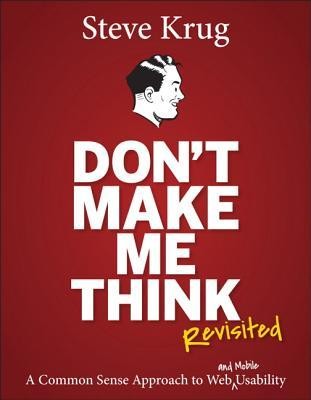
The first law of web usability fits in four words, and the whole book reads in one short-haul flight.
Why this book
Every list of essential books for web people has this one on it, usually first, usually with the same comment: "you can read it on a flight". Krug designed it that way on purpose, and the known record is two hours. It is the rare book whose form proves its thesis: short, scannable, ruthless with needless words.
I read the 2nd edition (2006); the one to buy today is the 3rd, "Revisited" (2014), refreshed with a new chapter on mobile. The laws have not changed: human nature does not version.
The ideas that stick
1The first law: don't make me think
Krug's first law of usability is the title. A page works when it is self-evident: the user looks at it and knows what it is and how to use it, without effort. A page fails when it plants little question marks in the head: where am I? Is that a button? Why did they call it that? "Every question mark adds to our cognitive workload, distracting our attention from the task at hand" (p. 15).
The killer detail: none of these questions is fatal alone. They add up. Enough of them, and the user does what Krug's wife summarizes better than any statistic: "If something is hard to use, I just don't use it as much" (p. 9). Naming things "Jobs" instead of "Job-o-Rama" is not a detail, it is the whole job.

2Nobody reads your page (three uncomfortable facts)
Chapter 2 demolishes the designer's fantasy of the attentive visitor with three facts:
- We don't read, we scan. The user's reality is "billboard going by at 60 miles an hour" (p. 21). Like Gary Larson's dog Ginger, who only hears "Ginger" and "dinner" from her owner, we only hear our trigger words: our task, plus "Free", "Sale", and our own name.
- We don't choose the best option, we satisfice. The term comes from economist Herbert Simon (1957): we take the first reasonable option, because guessing is fast, mistakes are cheap (the Back button), and, Krug adds, "guessing is more fun" (p. 25).
- We don't figure out how things work, we muddle through. Krug watched at least a dozen users type full URLs into Yahoo's search box; some believed Yahoo WAS the Internet. It worked, so why care?
The conclusion is an order: "If your audience is going to act like you're designing billboards, then design great billboards" (p. 29).
3Billboard design: conventions beat creativity
How do you design for scanners? Five moves:
- a clear visual hierarchy (important = prominent, related = visually related);
- conventions;
- defined zones;
- obviously clickable things;
- less visual noise ("assume that everything is visual noise until proven otherwise", p. 39).
The one developers resist is conventions: designers are paid to be original, and the shopping-cart icon feels like surrender.
An example of my own, not Krug's, to feel it. The "original" site: it replaces the cart icon with a pretty hand-drawn satchel, puts search in the bottom-left, calls its menu "Explore the universe". Each choice is creative, and each makes the visitor hesitate for half a second.
The "conventional" site: magnifier top-right, cart next to it, clickable logo that returns home. The user finds them without thinking, because they sit in the same place on every site they know. Krug's rule settles it: "Innovate when you know you have a better idea (and everyone you show it to says 'Wow!'), but take advantage of conventions when you don't" (p. 36). A convention is just an idea that won so hard it became invisible.
4The 3-click rule is wrong (it's not the count, it's the thinking)
In the 2000s the dogma was everywhere: never more than three clicks to reach anything. Krug's second law replaces counting with weighing: "It doesn't matter how many times I have to click, as long as each click is a mindless, unambiguous choice" (p. 41). His cautious rule of thumb: "three mindless, unambiguous clicks equal one click that requires thought".
A mindless click is "Animal, vegetable, or mineral?": you answer without noticing. A costly click is Symantec asking you to choose "NAV for Windows 95/98" when you don't know that NAV means Norton AntiVirus. The download is three clicks away in both cases; only one of the two paths feels long.
5Remove half the words, then half of what's left
Krug's third law, inherited from E. B. White's "Omit needless words": "Get rid of half the words on each page, then get rid of half of what's left" (p. 45). He admits the second half is deliberately excessive; the first half, he insists, is a realistic goal on most pages. Two targets get the firing squad:
- Happy talk must die: the self-congratulating welcome paragraphs. The test: if a tiny voice in your head says "blah blah blah" while reading, it is happy talk (p. 46).
- Instructions must die: nobody reads them until muddling through has failed. The book's demo compresses a 103-word Verizon instruction block to 41 words with zero loss: the first to go are the warm-up sentences and everything the heading already says.
6The trunk test
Sears is a large American department-store chain — think of it as a Walmart with tool and appliance sections. The building is the structure that holds everything. The shelves are the signs reading "Electronics," "Hardware," "Kids' Clothing" that guide you through. The cash registers are where everything concludes. Without those three things, Sears is just a warehouse of objects stacked at random: you find nothing, you buy nothing. They are not features added to the store — they are the store.
Krug says exactly the same about the web: "Navigation isn't just a feature of a Web site; it is the Web site" (p. 59). The web has no physics: no sense of scale, of direction, of location. You cannot see that one section is "further away" or "larger" than another. Navigation stands in for all of that, and at the time 30 to 40 percent of all web clicks were the Back button — a sign that people were constantly getting lost.
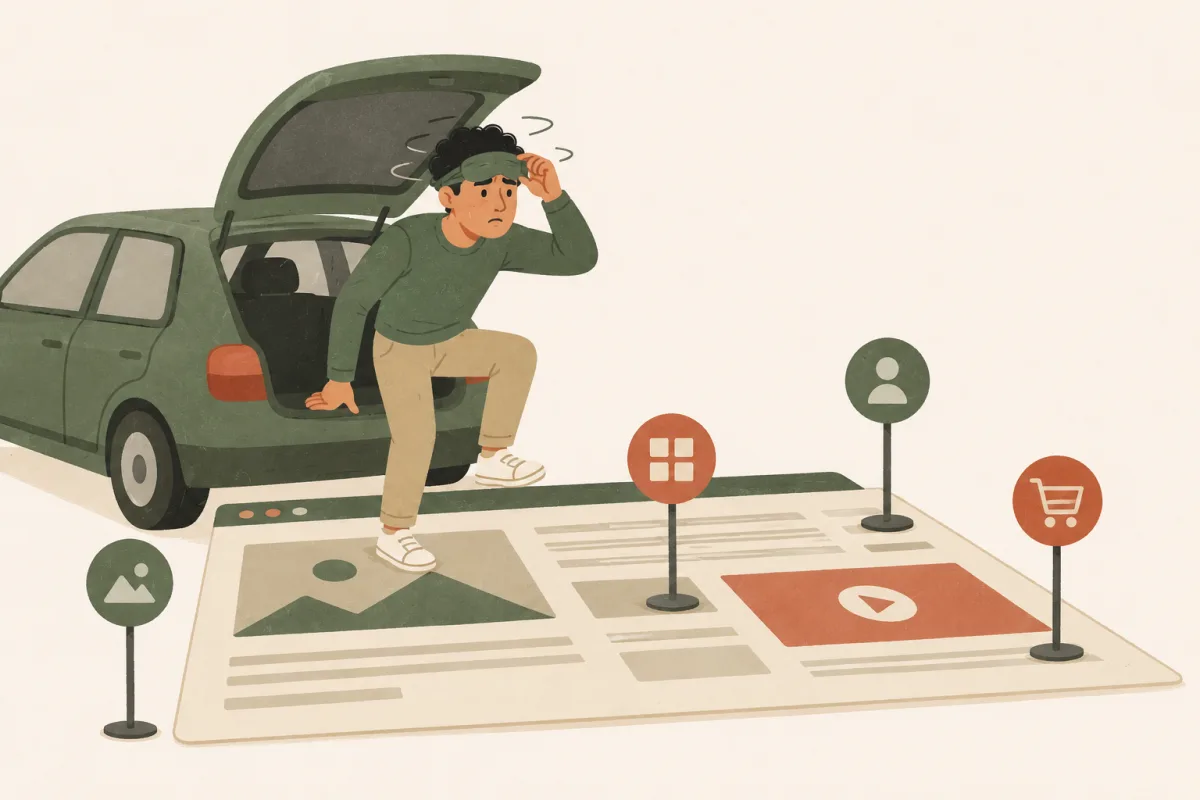
Hence the most reusable audit tool in the book: imagine being "blindfolded and locked in the trunk of a car" (p. 85), driven around, and dumped on a random page deep inside a site, because that is exactly what arriving from a Google result is. Squint at the page. You must be able to answer without hesitation: What site is this? What page am I on? What are the major sections? Where am I in them? How can I search?
If those don't pop off the page, the navigation fails. In practice: open a deep page of your own site in a private window, without looking at the URL, and give yourself twenty seconds to answer the five questions.
7User testing for $300 and one morning a month
The most famous chapter kills the excuse that testing is expensive. The traditional version: eight users, a lab with a one-way mirror, $5,000 to $15,000, a 20-page report a week later. Krug's "lost-our-lease" version: three or four users, any office, about $300 in stipends, debrief over lunch the same day. "Testing one user is 100 percent better than testing none" (p. 134).
The protocol fits in three rules. First: three or four users per round, not twenty. Nielsen measured that three users uncover 85 percent of usability problems; adding more costs time to rediscover the same bugs in a loop. Second: "recruit loosely, and grade on a curve" (p. 138). Do not spend three weeks tracking down your perfect user persona. Take any reasonably web-literate adult and be lenient on your selection criteria. An approximate participant reveals as much as a perfect one about real navigation problems.
Third: one morning a month, forever. Not one big pre-launch session. One morning, three 30-to-45-minute sessions in any available office, a debrief over lunch, then again next month. Frequency beats ceremony.
Then comes triage. Krug draws three categories. Head-slappers first: the problems every user hit, the ones where you watch and think "how did we miss that?" Fix those first. Kayak problems next: the user wobbled, hesitated, then righted themselves without help. A kayak that rocks and recovers is not sinking, note it and move on.
Finally, the most common temptation: fixing by adding. A user stumbled on a button, so you add a tooltip. A section confused them, so you add explanatory text. Krug says no: almost every real problem is solved by removing or simplifying, never by piling on.
8The goodwill reservoir
Every visitor arrives with a reservoir of goodwill, and every design decision either drains or refills it.
- Draining: hiding the support phone number, hiding shipping costs, punishing format errors (your form rejects a card number over its spaces: you are the one punishing), fake sincerity ("your call is important to us").
- Refilling: making the three main tasks obvious, being upfront about uncomfortable information, saving steps (Amazon putting the package-tracking link right in the email), making error recovery easy, apologizing when you can't do better.
Krug does not stop at clarity: "Besides 'Is my site clear?' you also need to be asking, 'Does my site behave like a mensch?'". A mensch, in Yiddish: someone who does right by others. Twenty years later, the cookie-banner industry has answered for many sites, in the wrong direction.
Three things I didn't know
- Krug's corporate motto is "It's not rocket surgery", and his consultancy, Advanced Common Sense, is "actually just me and a few well-placed mirrors" (p. 5). The motto became the title of his second book.
- The accessibility chapter hides the most striking phrase of the book, from a study of blind users: "Screen-reader users scan with their ears". They skip audio like we skip paragraphs.
- The famous "5 users are enough" idea predates the book: Jakob Nielsen's "discount usability" dates from 1989, and Krug pushes it further down to 3.
My take, honestly
I read it in one evening, which is exactly the point: it is the only classic of the trade that respects its own laws. Short, scannable, funny in the footnotes, zero happy talk. And it hurt: I ran the trunk test on my own pages and failed it on two of them. Squinting at your own site is a humbling sport.
What has aged: the screenshots (sites that died with the dot-com crash), the chapter on CSS-as-militant-novelty, and some prices. Buy the 3rd edition ("Revisited", 2014): same laws, refreshed examples, plus a chapter on mobile. What has not aged is everything else, because the book is built on how people behave, not on how browsers work.
This is the book I would hand to a junior dev, a PM and a CEO, in that order, knowing all three would actually finish it. There are not many of those.
Odilon
Still relevant in 2026?
Scan, satisfice, muddle through: nothing in twenty years of UX research has dented those three facts. They now apply to AI agents browsing your site as much as to humans: an agent also "wants" obvious labels and self-evident structure. The $300 testing chapter is even more true with today's remote tools.
And the goodwill reservoir reads like a prophecy of the dark-patterns era: every cookie wall and fake-urgency timer is a withdrawal Krug warned about in 2006. The mobile gap of the 2nd edition is exactly what the 3rd edition patched.
Who is it for?
Read it if
- You build web pages and have never watched a stranger use them
- Your team loses afternoons to "religious debates" about pulldowns and sliders
- You need to convince a boss that usability testing fits in $300
- You want one book a non-technical colleague will actually finish
Skip it if
- You are a working UX researcher: this is the entry door, not the building
- You want visual design theory: it is about behavior, not aesthetics
- You expect 2026 case studies: even Revisited's examples are from 2014
Going further
The "right thing to do" chapter is practiced hands-on in my accessibility course, and clean HTML structure in the HTML course. In the library, Web Accessibility Cookbook picks up exactly where Krug's accessibility chapter stops, and The Design of Web APIs applies the same consumer-first obsession to APIs: don't make the developer think either.
Comments (0)