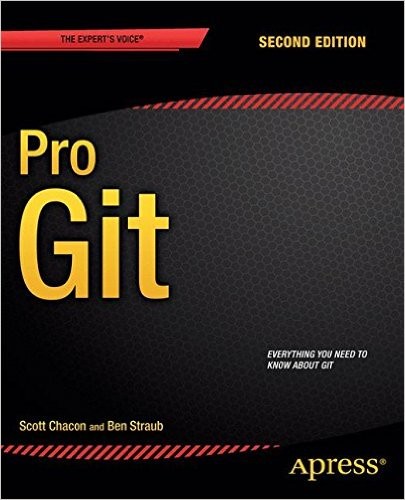
The official Git reference, free and translated. From first commits to the guts of .git.
Why this book
Pro Git was written by Scott Chacon, one of the founders of GitHub, and Ben Straub, a long-time Git contributor. It's the official book recommended on git-scm.com. Unlike most programming books that become obsolete or expensive, this one stays free, gets updated regularly (the version I read dates from April 2024), and is available in over 40 languages including French.
What makes it worth reading beyond the official docs: it doesn't just explain what commands do. It explains why Git works the way it does. The branching model, the three-tree reset, the internals chapter — they're all about building a mental model that makes the confusing parts obvious. Once you understand why branches are just 41-byte pointer files, nothing about branching surprises you anymore.
The ideas that stay
1Snapshots, not diffs — the paradigm shift
Git doesn't store what changed. It stores a picture of everything, every time. "With Git, every time you commit, Git basically takes a picture of what all your files look like at that moment and stores a reference to that snapshot" (p. 14). Other systems (CVS, Subversion) store files plus a series of deltas — to reconstruct version 37, they replay changes from version 1. Git stores version 37 directly. This is why Git doesn't need the server to browse history, why it's fast, and why every clone is a complete backup.
2Everything is checksummed — nothing is lost silently
"Everything in Git is checksummed before it is stored and is then referred to by that checksum" (p. 15). That checksum is a SHA-1 hash, a 40-character hexadecimal string, and you can recompute it yourself:
echo "hello" | git hash-object --stdin     # → the SHA-1 of the content, before your eyes
git cat-file -t HEAD                       # → "commit": the object's type
git cat-file -p HEAD                       # → the commit in plain text (tree, parent, author, message)
The same content always yields the same hash, so changing a file without Git knowing is impossible. Git nearly always adds data: once a commit is recorded, it is near-indestructible. The one real exception, which erases for good: git reset --hard.
3The three states and the staging area
Files in Git live in one of three states: modified (changed but not yet staged), staged (marked for the next commit), or committed (safely stored). The staging area is the key: it's a file inside .git/ that stores exactly what will go into the next snapshot.
This is what lets you commit only part of your working changes, or build a clean commit from messy work. Most beginners skip it and use git commit -a for years before understanding what they've been bypassing.
git add README.md          # stages one file
git add -p                 # stages parts of files interactively
git commit -m "message"   # commits exactly what was staged
4A branch is a pointer to a commit — nothing more
The book's most clarifying sentence: "A branch in Git is simply a lightweight movable pointer to one of these commits" (p. 64). Creating a branch doesn't copy code, doesn't create a directory, doesn't do much of anything. It writes a 41-byte file (a SHA-1 hash plus a newline) in .git/refs/heads/. That's it. Every time you commit, the pointer moves forward automatically. This explains why branching in Git is instantaneous where it was expensive in Subversion.
# A branch is literally just this file:
$ cat .git/refs/heads/main
ca82a6dff817ec66f44342007202690a93763949

git branch feature     # creates a 41-byte file
git checkout feature   # moves HEAD to point to it
5HEAD is a pointer to a pointer
HEAD is a special file that points to the current branch, which points to the current commit. When you checkout a branch, Git updates HEAD to point to that branch. When you commit, the branch pointer moves, and HEAD follows. That's how Git always knows where you are in the history.
This is the case where beginners panic. When you git checkout a specific commit SHA, you enter detached HEAD mode: HEAD points to a commit, not to a branch.
git checkout 24b9da6      # HEAD detaches: points to a commit, no branch
# ... you make commits here: they're attached to NOTHING
git switch -c my-branch    # ✓ SAVE them into a branch before leaving
# otherwise: git switch main → those commits become orphaned, lost
Any new commits you make exist in the history but aren't attached to any branch: they become unreachable after your next checkout unless you explicitly create a branch from them first.
6The perils of rebasing — and its one rule
Rebase replays your commits on top of another branch, producing a cleaner linear history than merge. The book states its rule bluntly: "Do not rebase commits that exist outside your repository and that people may have based work on. If you follow that guideline, you'll be fine. If you don't, people will hate you, and you'll be scorned by friends and family." The reason: rebasing rewrites SHA-1 hashes. If someone has already based work on those old hashes, force-pushing rebased commits creates contradictory histories that are painful to reconcile.
7Reset demystified: the three trees
The book frames git reset through "three trees" Git manages: HEAD (the snapshot of the last commit), the Index (the proposed next commit = the staging area), and the Working Directory (your actual files). Reset operates on them in sequence, stopping when you tell it to.
"This flag (--hard) is the only way to make the reset command dangerous, and one of the very few cases where Git will actually destroy data" (p. 262). Use it knowingly, not reflexively.
8Git is a content-addressable filesystem
Chapter 10 opens with: "Git is fundamentally a content-addressable filesystem with a VCS user interface written on top of it" (p. 414). Everything stored in Git — file contents, directory trees, commits — is an object addressed by its SHA-1 hash. The .git/ folder has exactly four things that matter:
objects/— the database: every file, tree, and commit ever stored, keyed by hashrefs/— named pointers to commits (your branches, tags, remotes)HEAD— which branch you're on right nowindex— the staging area: the proposed next snapshot
And these aren't abstractions: the plumbing commands let you touch them directly.
git cat-file -p HEAD          # the commit: a tree, a parent, the author, the message
git cat-file -p HEAD^{tree}   # the tree: the list of files + each one's hash
git ls-files --stage         # the index: what will go into the next commit
That's all of Git. Everything else (branches, merge, rebase) is built on top of these four.
Three things I didn't know before reading it
- Git was created in 10 days. After BitKeeper revoked free access in 2005, Linus Torvalds spent about two weeks building Git. The first commit of Git is in Git's own history. The Linux kernel project migrated to it immediately.
- The
masterbranch is not special. "The 'master' branch in Git is not a special branch. It is exactly like any other branch. The only reason nearly every repository has one is that git init creates it by default" (p. 64). You can delete it, rename it tomain, or never use it — Git doesn't care. - "Porcelain" vs "plumbing" is the book's vocabulary for the two layers of Git: the user-facing commands you run every day (checkout, commit, branch) are porcelain; the low-level commands that manipulate objects directly (hash-object, cat-file, update-ref) are plumbing. All the porcelain commands are built on the plumbing.
My take, honestly
I used Git for years like everyone else: typing the same five commands and crossing my fingers. The first three chapters removed the finger-crossing: snapshots, the three states, branches that are nothing but pointers. The famous "why" behind the commands, in under 100 pages. Even after years of Git, you learn things.
The middle of the book is more uneven. Hosting your own Git server? Useful if your name is GitLab. The GitHub chapter has aged, screenshots first. My suggested route: chapters 1 to 3, then jump straight to 7.
And if you do your Git through VS Code or GitHub Desktop, no shame, so do I. But the day the interface does something weird, this book is what saves you. Understanding reset's three trees is anti-panic insurance, whatever the UI.
Odilon
Still relevant in 2026?
The version I read dates from April 2024. Git itself hasn't changed fundamentally since the second edition: SHA-1 objects, refs, staging area, the branching model — all identical. The main update is that the book now uses git restore and git switch (introduced in Git 2.23) alongside the older git checkout and git reset forms.
The GitHub chapter dates faster than the rest. The internals chapter is timeless.
Who is it for?
Read it if
- You use Git daily but sometimes find yourself guessing what a command will do
- You've broken something with reset or rebase and want to understand why
- You want to understand what's actually in
.git/— the objects, the refs - You're free to read for free: there's no reason not to
Skip it if
- You need a quick-start tutorial: the official git-scm.com docs or Atlassian's tutorials are faster for that
- You're looking for team workflows and branching strategies (Gitflow, trunk-based): the book covers them lightly
- You're a Git expert already: you likely know everything in chapters 1-3
For going further
The concepts in this book are practiced directly in the Git & Terminal course on this site. For team collaboration and branching workflows, the official GitHub documentation is more current than chapter 6. For diving deeper into Git internals, the source code itself is surprisingly readable.
Comments (0)