
Why your processor spends its life waiting for its data in main memory (the RAM), and everything engineers built so it waits less.
Why this book
Your PHP code runs on a machine you never see. You write a loop, a query, a foreach over an array. Underneath, a processor executes billions of instructions, tiny orders like "add these two numbers" or "read this value". Most of the time, it waits.
To picture it, imagine a very fast cook. His ingredients are stored far from his workbench. He spends more time fetching them than cooking. The processor is that cook, and the ingredients are the data.
Jim Ledin, the book's author, starts from that fact. His book is big: nineteen sections, from the transistor (the smallest electronic switch) to quantum computing. I went through it on ExpertEdge, through a partnership with Packt, the publisher. The book is split there into 198 numbered lessons, and I read 89 of them in detail.
Ledin illustrates the waiting like this. A processor that fetched every piece of data from the computer's main memory, the RAM, "would spend the vast majority of its time waiting". He then walks back through the history of machines to explain their present shape. His thesis: understanding that history gives "insight into why modern computers are structured as they are" (lessons 3 and 71).
I'm a web developer, not a hardware expert, so I can't judge this book as one. I kept what a web developer can carry away: eight ideas in three families.
- Ideas 1 and 2: memory is slow. So it is arranged in levels, from the smallest and fastest to the largest and slowest.
- Ideas 3 to 6: doing several calculations at once. The processor works like an assembly line, and its instructions must be easy to slice. A graphics card pushes the idea to the extreme, and language models benefit from it.
- Ideas 7 and 8: each program has a space of its own, with its own addresses. It can touch neither the other programs nor the system. Crossing that border costs time.
The ideas that stick
1Memory is a staircase: the bigger the step, the slower it is
First family: memory is slow. Let's go back to the cook from the introduction. He has three places to get ingredients, three steps of a staircase going down to the storeroom. The lower you go, the bigger the place, and the longer the round trip. A modern processor employs several cooks, called cores.
The first step is the workbench: the registers, a handful of slots inside the processor itself. The processor keeps there the values it computes with.
At the bottom, the storeroom is main memory, the DRAM: the RAM sticks on your motherboard (dynamic random access memory). Each slot there has a number, its address. Between the two, a shelf within arm's reach acts as an intermediary, the cache, which we see next.
The processor and the DRAM didn't improve at the same pace. The processor is paced by a clock, its metronome. Intel and AMD clocks tick roughly 1,000 times faster than the original IBM PC's. DRAM sped up far less. Ledin puts numbers on the gap in nanoseconds (ns, a billionth of a second), warning that he is simplifying. Reading a value from a register takes 1 ns, and from DRAM it takes 100 (lesson 71).
The cache bridges that gap. It is the cook's shelf: a small, very fast memory sitting between the processor and the DRAM. The hardware fills it by itself, without a line of code from the programmer. It holds what was just used. In the example it answers in 4 ns. The first read of an address pays the full 100 ns. Later reads of the same address, or its neighbors, cost 4 ns. In Ledin's words: "Although accessing the cache is 4 times slower than accessing registers, it is 25 times faster than accessing DRAM." (lesson 71).
The cache works because programs repeat themselves. They reread the same data and touch nearby data. So the cache never loads a lone byte (8 bits): it loads a cache line, a 64-byte block. The result: "cache hits typically occur on 95 to 97 percent of memory accesses" (lessons 70 and 72).
Let's count what that gives, with 96% hits, the middle of the range. An access costs on average 0.96 × 4 ns + 0.04 × 100 ns = 7.84 ns. That is about 8 ns instead of 100.
Real processors stack several caches, called levels. Level 1 (L1) is the smallest and the closest to the processor. Each following level is larger and slower than the previous one. Take a 2024 Core Ultra 9. The book lists 48 KB of level 1 for the data of each performance core. It also lists 32 MB of shared level 3 (lessons 74 and 128).
This staircase doesn't stop at the processor. Ledin applies the same trade-offs "from individual processor cores to global distributed systems". They concern response time, throughput (the work done per second) and cost. His example is a search engine. An index server keeps the list of pages to return, and holds part of it in RAM.
If the answer is missing, this server searches its own disk. Then it asks the other servers in the same rack (a cabinet of servers), the other racks of the same cluster (a group of racks), and finally other clusters. Each step is slower than the previous one (lesson 131).
Practical example, not from the book: an in-memory cache in front of your database is one more step.
What should developers do? Nothing, to benefit from it, says the book. They gain by sizing data structures to fit the caches. Then they measure: "the most effective way to determine the optimal algorithm among multiple viable alternatives is to benchmark each one carefully" (lesson 74).
An example of my own, not from the book. In Go, a [1024][1024]int64 array holds 1,024 rows of 1,024 numbers of 8 bytes each. That is 8 MB in one block, stored row after row. You can sum it two ways:
var m [1024][1024]int64 // 1024 × 1024 × 8 bytes = 8 MB, row after row
var total int64

// ✓ row by row: step 8 bytes, each cache line serves 8 times
for i := 0; i < 1024; i++ {
    for j := 0; j < 1024; j++ { total += m[i][j] }
}

// ✗ column by column: jump 8 KB, every read pulls in a fresh cache line
for j := 0; j < 1024; j++ {
    for i := 0; i < 1024; i++ { total += m[i][j] }
}
Both loops compute the same sum. In the first, a 64-byte cache line brings 8 useful numbers, since 64 ÷ 8 = 8. In the second, it brings one. It may also be evicted, that is replaced by another line, before it is used again.
I measured it on a recent laptop (AMD processor, 32 MB of L3 cache, Go 1.26), with two row widths.
| Row width | Row by row | Column by column | Gap |
|---|---|---|---|
| 1,024 numbers (jump of 8,192 bytes) | 0.44 ms | 3.2 ms | 7 times |
| 1,025 numbers (jump of 8,200 bytes) | 0.38 ms | 0.86 ms | 2.3 times |
The 8 MB still fit in the L3 cache, so on a bigger array the gap would be wider. The width matters: a jump of exactly 8,192 bytes, a power of 2, sends many reads to the same slots of the cache, which push each other out. With 1,025 numbers per row, that effect fades. The book doesn't run the experiment, and these figures are from my machine: benchmark yours, as the book advises.
2The cache files each address in a fixed place, and two addresses can fight over it
The staircase tells you how much you gain. The next question is how the cache finds one item among billions of addresses. An address is written in bits, zeros and ones. In the example it has 32 bits and can take about 4 billion values.
The book takes a 512-byte instruction cache with 64-byte lines. An instruction cache holds the program's code, next to the cache that holds its data. Here, the program is a loop: its instructions are reread on every pass.
The cache therefore has 512 ÷ 64 = 8 places for lines. The book calls each place a set. For now, a set holds a single line. The cache splits every address into three pieces (lesson 72):
- offset: the 6 rightmost bits, picking one byte among the line's 64 (64 = 2⁶).
- set number: the next 3 bits, picking one of the 8 sets (8 = 2³).
- tag: the remaining 23 bits, saying which chunk of memory currently occupies the set (32 − 6 − 3 = 23).
To read, the cache takes the set number and goes straight to that set. It compares the stored tag with the address's tag. Equal: that is a hit, the data is there. Different: that is a miss. The cache then reloads the line from DRAM, overwriting the old one.
The book walks through two loops. The first one's code takes 256 bytes, starting at address 0x8000. The prefix 0x marks hexadecimal, base 16, as in PHP. The book writes this address 8000h. On the first pass, the 4 lines of the code (256 ÷ 64) fill 4 sets. On later passes everything is already cached: a 100% hit rate.
The second one's code takes 1,024 bytes, twice the cache. That is 1,024 ÷ 64 = 16 lines for 8 sets. Halfway through, the address reaches 0x8000 + 512. Now 512 is written 0x200 in hexadecimal (2 × 16 × 16). So the address is 0x8200.
Let's write both addresses in binary on 16 bits. Each hexadecimal digit is worth 4 bits: 8 = 1000, 2 = 0010, 0 = 0000. The 16 leftmost bits of a 32-bit address are 0 here, and the book ignores them too. The split below is redone by me, not copied from the book:
0x8000 = 1000 0000 0000 0000
0x8200 = 1000 0010 0000 0000

            tag    | set number | offset
0x8000  =  1000000  |    000     | 000000
0x8200  =  1000001  |    000     | 000000   ← same set, different tag
The two addresses differ by a single bit of the tag. They have the same set number, 000, so they aim at the same set. The second evicts the first.
Let's follow the loop. In the first half of the code, the 8 lines occupy the 8 sets. In the second half, the other 8 lines aim at the same sets and evict them all: 0x8240 evicts 0x8040, and so on. On the next pass, the loop restarts at 0x8000 and must reload everything. So every pass reloads everything.
The cache still helps, since a loaded line serves every instruction inside it. But each miss costs about 25 times a hit (lesson 72).
The fix for collisions is the two-way set-associative cache. The same 512 bytes are cut into two equal halves, the ways, of 4 sets each, checked at the same time. The set number now fits in 2 bits, and the tag takes 24 (32 − 6 − 2).
Each set now holds two lines, one per way. The cache compares the address's tag with the tags of both lines at once, hence the word "associative". Modern processors often have 4, 8 or 16 ways. According to the book, such caches "tend to achieve higher hit rates" in practice (lesson 73).
This fix doesn't rescue the second loop, and that is my own count: its 16 lines still don't fit in 8 places. It stops two addresses from evicting each other while the rest of the cache sits empty.
3The processor works like an assembly line, and an instruction waiting on another leaves a gap in the line
Second family: doing several calculations at once. Caches bring data in on time. What remains is keeping the processor busy. An instruction goes through four steps: fetch, decode (read what it asks for), execute, write-back. Each step has its own circuit.
Each step takes one clock cycle, one beat of the processor's metronome. One GHz is a billion cycles per second. At 3 GHz, a cycle therefore lasts a third of a nanosecond. Without a trick, the next instruction waits for the previous one to finish. An instruction then takes four cycles.
The book measures throughput in IPC, the instructions completed per cycle (instructions per clock). Here, "yielding an IPC of 0.25": one instruction for four cycles (lesson 75).
Meanwhile, only one of the four circuits works, and the other three wait. The pipeline puts them to work. It is an assembly line: each step moves on to the next instruction as soon as it's done, like a factory station passing on its part. Four instructions now advance together, each at a different step.
IPC climbs to 1, four times better. A processor with several lines side by side, called superscalar, issues two instructions per cycle and reaches 2. A high-end desktop processor runs at an IPC of "roughly 2–4 on typical real-world workloads" (lessons 75 and 78).
The line jams as soon as one instruction needs another's result. The example is in assembly, the processor's own language, for Intel and AMD chips (eax, ebx, ecx, edx are registers):
inc eax        ; eax = eax + 1
add ebx, eax   ; needs the new eax: waits for the line above
mov ecx, edx   ; depends on nothing
The book calls this a pipeline hazard. The add instruction needs the new eax, which inc hasn't finished writing. Here is the timetable in a four-step line, simplified and mine (F fetch, D decode, X execute, W write-back):
cycle          1  2  3  4  5  6
inc eax        F  D  X  W
add ebx, eax      F  D  -  X  W     ← the "-" is the bubble
Without a fix, add must wait, its station sits empty, and that gap travels down the line: a bubble. A first fix is the shortcut: the result of inc goes straight to add, without waiting for inc to write it into the register. In this timetable, add then executes at cycle 4, with no bubble.
The second fix is to run mov before add. The result is identical, and mov takes the place where the bubble would have appeared. inc has time to write eax (lesson 76). The processor puts the instructions in that order by itself, at run time.
if statements cause the same trouble, only worse. A compiled if becomes a conditional branch: a jump that depends on a condition. That condition isn't computed yet when the line must already load what comes next.
So the processor bets on a path: that's branch prediction. Win the bet, and nothing waits. Lose it, and the processor flushes the line of the instructions loaded by mistake and starts over. The book's advice to developers: "When possible, avoid branching altogether" in inner loops (lesson 77).
The book presents this bet in one short paragraph, then describes the predictors of a 2024 Core Ultra 9, without any success rate (lesson 128).
4x86, ARM, RISC-V: three instruction sets, and fixed-size instructions are faster to slice
Filling the line means loading and reading instructions quickly, stored one behind the other in memory. Their shape depends on the processor's instruction set: the list of orders it understands, and their byte format. It is abbreviated ISA (instruction set architecture).
The book compares three instruction sets. x86 powers Intel and AMD PCs and servers. Its name comes from the series that began with Intel's 8086 chip of 1978, followed by the 80186, 80286, 80386 and 80486. ARM powers phones, watches and tablets. RISC-V is an open specification, developed at UC Berkeley and announced in 2011. RISC stands for reduced instruction set computer: few instructions, all simple (lessons 97 and 111).
x86 instructions are 1 to 15 bytes long. Let's imagine, for the example (mine, not the book's), three instructions stuck together in memory, of 1, 3 and 2 bytes. The decoder is the circuit that reads what each instruction asks for. It can't know where the second one starts before reading the beginning of the first. So it moves one instruction at a time.
Ledin is blunt: "The variable-length nature of x86 instructions makes instruction decoding quite complex." (lesson 101). For the line, the consequence is my reasoning, not the book's: the decoder supplies ready-to-execute instructions more slowly.
Variable length also hampers debugging tools. To show the code leading up to a breakpoint, they must read it backward. Yet the tail of a long instruction can itself be a valid instruction (lesson 101).
ARM and RISC-V make the opposite choice. Their standard instructions are 32 bits, 4 bytes. The decoder therefore cuts every 4 bytes without reading anything. RISC-V also has an extension, an optional module, adding 2-byte versions (lessons 103 and 115).
According to the book, these simple sets were designed for pipelining. x86, meanwhile, must stay compatible with its old instructions, created before pipelining. So it spends a large share of its die on circuits that make them run fast (lesson 76).
It also splits each instruction internally into micro-operations, smaller and simpler pieces: 1 to 3 for the simplest instructions (lesson 77).
RISC-V takes that simplicity all the way: "The RISC-V base instruction set comprises just 47 instructions." (lesson 112). It has no flags register. These are bits that other processors set after a computation, to say "result is zero" or "carry". RISC-V instead stores the result of a comparison, 0 or 1, in an ordinary register.
To detect a carry, the program therefore compares the sum with one of the operands. If the sum is smaller than that operand, there was a carry (lesson 111).
An example of my own, on 8 bits, where a register cannot go above 255:
200 + 100 = 300  → the register keeps 300 − 256 = 44   (44 < 200: carry)
 50 + 100 = 150  → the register keeps 150              (150 ≥ 50: no carry)
Which instruction set is better, x86 or ARM? Ledin won't pick: "It may be that each is better in some circumstances" (lesson 109).
5A graphics card isn't a faster processor: it's 10,752 tiny calculators doing the same thing
The pipeline keeps several steps busy at once inside a single core. The GPU is the chip on your graphics card (graphics processing unit). It pushes that idea of doing many things at once to the extreme. Its original job is images: millions of pixels, each computed without waiting for the others.
The example is the GA102 chip inside the RTX 3090, released in 2020. The chip nests like Russian dolls: 7 clusters, each containing 12 multiprocessors. Each multiprocessor contains 4 warp processors, and each of those groups 32 cores. Only the product matters: 7 × 12 × 4 × 32 = 10,752 cores, which NVIDIA calls CUDA cores.
| Level | How many in the level above | Running total |
|---|---|---|
| Clusters | 7 on the chip | 7 |
| Multiprocessors | 12 per cluster | 84 |
| Warp processors | 4 per multiprocessor | 336 |
| Cores | 32 per warp processor | 10,752 |
By contrast, a high-end desktop processor has "at most a few dozen cores". The RTX 3090 ships with only 10,496. Two 128-core multiprocessors failed during manufacturing and were switched off. Selling these flawed chips, the book explains, improves manufacturing yield: fewer chips are thrown away (lesson 92).
Each core is simple: every cycle, it does one multiplication and one addition, A × B + C. That counts as 2 operations. The RTX 3090's clock ticks at 1.7 GHz, that is 1.7 billion cycles per second. Let's compute: 10,496 cores × 1.7 billion × 2 operations make about 35.7 trillion operations per second. The book writes 35.6 trillion (lesson 93).
The price of that power is a constraint. Cores work in a warp, a group of 32 threads. A thread is a sequence of instructions a core runs through. The 32 cores of a warp processor execute the same instruction at the same moment, each on its own data. The word comes from the Jacquard loom: its warp threads are all raised or lowered together (lessons 92 and 93).
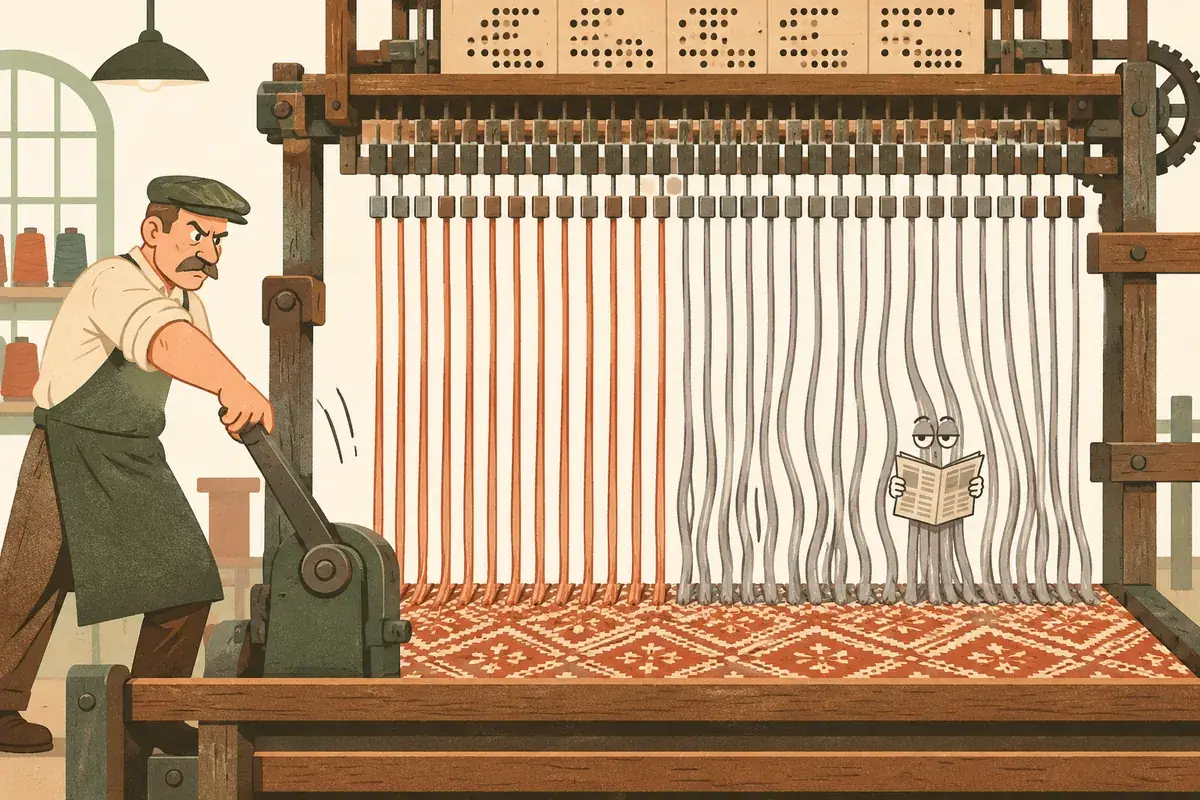
What happens when an if depends on the data? Some threads want the branch, others don't. The GPU then "must execute the divergent instruction paths twice". On the first pass, the if threads run and the others are paused by the hardware. On the second, the reverse.
The pipeline's advice comes back even stronger: avoid branches. The Warp processor "achieves its highest throughput when all threads follow the same code path and avoid branching" (lesson 93).
The book thus sets a limit. GPUs are "only truly effective at accelerating algorithms that can exploit data parallelism" (lesson 90). In other words, the same operation over a big array.
My extrapolation, not the book's: business logic full of conditions gains little there. Each condition that splits a warp indeed forces two passes. An if only costs when it separates the threads of one warp: if all 32 take the same branch, it is free. The real gap, in a web application, lies elsewhere: little independent data to process at once, and a lot of waiting.
6Seen from the chip, a language model like ChatGPT is a mountain of multiplications
What GPUs do fast, multiply in parallel, is exactly what language models demand. A large language model (LLM) is the engine behind ChatGPT or Claude. Such models "attempt to analyze and generate text by predicting the next word in a sequence". Ledin compares it to a phone's autocomplete (lesson 134).
Text is first cut into tokens, pieces of words. "Tell me about GPT-2." becomes 8 tokens: "Tell", "me", "about", "G", "PT", "-", "2" and ".". The reason "GPT" is cut up: it was rare in the training text (lesson 138).
The model produces its answer token after token. At each token, it passes all the text already written, question and start of the answer, through its layers of computation. It draws the next token from it and appends it to the text. The book calls each round an iteration. The context is the text the model looks at, here 1,024 tokens at most (lesson 135).
The example is GPT-2 small, a 2019 model with 124 million parameters, the numbers learned during training. Each token becomes a list of 768 numbers, taken from a table that is learned too. A 1,024-token text therefore forms a matrix: a table of 1,024 rows by 768 columns (lessons 135 and 138).
The model stacks 12 layers, computing stages traversed one after the other. Each layer has two main blocks. The first is attention. For each token, it works out which earlier tokens matter to understand it. The second is the dense block, which the book calls the MLP (multi-layer perceptron): a network where every input number is linked to every neuron. It then processes each token separately (lesson 137).
Let's count with the book, for one iteration at maximum context, that is 1,024 tokens. Attention needs three matrices: Q, K and V (query, key and value). Each is obtained by multiplying the text matrix by a 768-by-768 table, filled in during training (lessons 136 and 140).
Why 768 by 768? Because a 1,024 × 768 matrix multiplied by a 768 × 768 table gives a 1,024 × 768 matrix. Each token keeps its 768 numbers, but transformed.
Q holds 1,024 × 768 = 786,432 numbers. Each needs 768 multiplications: you multiply a row of 768 numbers by a column of 768 numbers, then add up. For Q alone, that is 786,432 × 768 = 603,979,776 multiplications, about 604 million.
K and V are the same size, and all of this happens in each of the 12 layers. That makes 3 × 12 = 36 matrix multiplications, that is 36 × 604 million, over 21 billion multiplications. Each comes with an addition: the book speaks of a MAC (multiply-accumulate), a multiplication followed by an addition (lesson 140).
The dense block of each layer does two multiplications. It multiplies the text by a 768-by-3,072 table, then the result by a 3,072-by-768 table. Each multiplication costs 1,024 × 3,072 × 768, about 2.4 billion. That makes 4.8 billion per layer, and 12 × 4.8 = about 58 billion for the 12 layers (lessons 137 and 140).
These 58 billion add to the 21 billion of Q, K and V. Then comes the multiplication that ends attention, the same size as Q. The book lists it without a number, and my own count gives about 7 billion (12 × 604 million). The book ranks these multiplications among those that account for 80 to 95% of the model's floating-point work. That percentage comes from the book, I did not recompute it (lesson 140).
| Block | Matrix multiplications | Cost of each | Total |
|---|---|---|---|
| Q, K and V | 36 (3 × 12 layers) | 604 million | ≈ 21.7 billion |
| End of attention | 12 (one per layer) | 604 million | ≈ 7.2 billion |
| Dense block (MLP) | 24 (2 × 12 layers) | 2.4 billion | ≈ 58 billion |
| Sum | ≈ 87 billion |
That sum of 87 billion is my own addition, not the book's. It shows that the dense block weighs about two thirds of the total (58 out of 87), more than attention.
And each number in the result can be computed without waiting for the others: that's the data parallelism seen with the GPU. This is why models run on GPUs.
One possible waste remains. This count redoes the whole text at every token, with no memory. The old tokens don't change from one token to the next, yet their K and V would be recomputed. The KV cache keeps them: "This greatly reduces the per-token workload but also influences memory requirements".
It is the same move as the processor's cache: keep a result rather than redo it, at the price of the space it takes. The book gives the KV cache only one short paragraph, and doesn't explain why only K and V are kept (lesson 140).
The book gives no cost per token. It does put a number on energy, though: a rack of AI servers may draw 50 to 100 kilowatts (lesson 142).
Here is my extrapolation, not the book's. The calculation above, without a cache, covers only the small GPT-2. Recent models, Claude among them, are much larger than GPT-2, says the book (lesson 135). So every token they produce represents far more computation. And since the KV cache keeps results at the price of memory, a long context is paid for in compute or in memory.
7Every address in your program is a fiction, translated on the fly
Third family: each program has a space of its own. The first tool is virtual memory. Let's take the address again, the number of a memory slot: with this new tool, it becomes a fiction.
The problem comes from old machines. On an MS-DOS PC, an old operating system, the address written in a program was the address on the memory chip. Two programs had to split addresses by hand. The programs that stayed loaded in memory behind the others tried it anyway, and "TSR programs developed a reputation for causing system instability" (lesson 65).
Virtual memory gives each program its own address space, numbered from zero for it alone. The address written in the program is virtual. Each program believes it is alone in the machine. A circuit in the processor, the MMU (memory management unit), translates the virtual address into a real address, the one on the memory stick.
The MMU works in pages, blocks of 4 KB or more. Rarely used pages can move to disk, into a swap file (lesson 65).
The example is 32-bit Windows NT. A 4 KB page holds 4,096 bytes, that is 2¹²: the bottom 12 bits of an address give the position inside the page. The top 20 bits are used to find the page. They split into two 10-bit slices (lesson 66).
A page table is a list of 1,024 entries of 4 bytes. Each entry translates one page, so a table covers 1,024 × 4 KB = 4 MB. To cover a program's 4 GB of addresses, you need 1,024 tables. The page directory is the list of those 1,024 tables. The operating system fills in these tables (lesson 66).
| Level | Entries | What one entry covers | What the level covers |
|---|---|---|---|
| Page directory | 1,024 | 4 MB (one table) | 4 GB |
| Page table | 1,024 | 4 KB (one page) | 4 MB |
| Page | 4,096 bytes | 1 byte | 4 KB |
The book follows address 0x00402003. Here is the same split in PHP (my code, not the book's):
$v = 0x00402003;
echo $v >> 22, "\n";       // A: index in the page directory (the top 10 bits: 32 − 22 = 10)
echo ($v >> 12) & 0x3FF, "\n"; // B: index in the page table (0x3FF = ten bits set to 1)
echo $v & 0xFFF, "\n";     // C: position within the page (0xFFF = twelve bits set to 1)
In binary the address is 0000 0000 0100 0000 0010 0000 0000 0011. The first 10 bits (0000000001) are worth 1, the next 10 (0000000010) are worth 2, the last 12 (000000000011) are worth 3. So the program prints 1, 2 and 3: A = 1, B = 2 and C = 3.
The translation follows those three values. A processor register, CR3, holds the address of the current program's page directory. Directory entry A = 1 points to a page table. Entry B = 2 of that table gives the page's real address. Position C = 3 picks the byte (lesson 66).
Walking that path on every read would be ruinous. It takes at least three DRAM reads: the directory, the table, then the data itself. With the 100 ns of idea 1, that is 300 ns instead of 100 (my own count).
So the processor keeps recent translations in the TLB, a cache of translations (translation lookaside buffer). The TLB often has 64 entries or fewer, and "a successful TLB lookup is very fast, typically consuming just one processor clock cycle" (lesson 68).
When the TLB lacks the translation, the book speaks of a page fault. The word "fault" doesn't mean an error. It is an exception: the processor suspends the program and calls the operating system, which sorts it out and hands control back (lessons 66 and 80).
The book distinguishes two cases. In a soft fault, the page is in memory and only the translation is missing. In a hard fault, the page has gone to disk. The disk must then be read, and the latter "can be thousands to millions of times slower than a soft fault" (lesson 66).
- On x86, the hardware alone walks the tables when the page is in memory. It doesn't call the OS in that case: a page fault happens only if the page is missing. The book nevertheless applies the term "page fault" to the first case. Source: Wikipedia, article "Translation lookaside buffer".
- Two levels of tables avoid one giant array per program. A single array of 2²⁰ entries of 4 bytes would weigh 4 MB per program (my count). With two levels, the system creates only the tables for the zones in use. Source: Wikipedia, article "Page table".
What you gain every day is isolation. Each program has only its own addresses, and none leads to another program's memory. An address with no page assigned triggers an access violation (lesson 65).
A pointer, in C, is a variable holding an address. A null pointer aims at address 0. That address is outside the program's valid range, even though its space is numbered from zero. The MMU then raises an exception, and the program crashes with a message. Without an MMU, it would have silently read garbage (lesson 68).
8Asking the system for a service is expensive, and a virtual machine adds a floor
Virtual memory isolates programs from each other. They still need isolating from the system itself. The kernel is the central part of the operating system, the only part allowed to talk to hardware. Ledin compares it to a castle with concentric walls. Each wall is a privilege ring, a level of authorization. x86 offers four, but Windows and Linux use only two.
Ring 0, at the center, holds the kernel and the drivers, the programs that control devices. Ring 3, outside, is also called user mode and holds the applications. The processor lets an application in only through a controlled gate (lessons 81 and 82).
In ring 3, an application can't allocate memory, open a file or draw on screen. It must ask the kernel through a system call (lesson 82). Practical example, not from the book: in PHP, fopen() or file_get_contents() end up making such a request.
The gate is a processor instruction. It checks the request, switches from ring 3 to ring 0, then hands control back. On Windows before XP, int 2eh "took over 1,000 processor clock cycles" to reach kernel code. At 3 GHz, that is over 330 ns, more than three DRAM accesses.
In 1997, Intel added sysenter, which "sped up entry into and exit from kernel mode by about a factor of three", so around 330 cycles. The book doesn't say why the crossing costs so much. It notes that a busy system may make thousands of requests per second (lesson 82).
| Operation | Clock cycles | At 3 GHz |
|---|---|---|
| One DRAM access | about 300 | about 100 ns |
System call with sysenter | about 330 | about 110 ns |
System call with int 2eh | over 1,000 | over 330 ns |
The arithmetic is mine: at 3 GHz, 3 cycles make 1 ns. Going through sysenter therefore costs about as much as one memory access.
- Since Meltdown was found, the Linux kernel keeps the kernel's page tables separate from the programs' (KPTI). Each system call switches between them, which makes it more expensive. Source: Linux kernel documentation, docs.kernel.org/arch/x86/pti.html.
The border between the rings shows up again one floor higher, with the virtual machine (VM). It is a simulated computer, like a server rented from a host. The VM's operating system, called the guest, is written for a real machine. So it believes it runs in ring 0 (lesson 121).
The guest isn't there. The hypervisor, the software running the VMs, starts it in user mode. It runs either directly on the machine or as an application of another system (lessons 121 and 122).
A privileged instruction is an order reserved for ring 0, such as changing an internal setting of the processor. When the guest runs one, the processor raises an exception. The hypervisor catches it and emulates the operation (lesson 121).
This interception only works if every dangerous instruction raises an exception. An instruction is dangerous if it reads or changes the machine's reserved state. Yet "Of the hundreds of instructions in the Pentium ISA, 17 were found to be unsafe but non-trapping." (lesson 122).
One of them, sidt, reads a system register without any alarm. The guest then gets the values of the real machine, the host, not those of its simulated machine. The hypervisor isn't even warned. So it had to rewrite those instructions: before running the guest's code, it replaces them with equivalent sequences (lesson 122).
To avoid that rewriting, Intel and AMD added hardware support in 2005 and 2006. The book admits that "overall virtual machine performance did not improve significantly". The brake came from page tables, which translate addresses as with the virtual memory of idea 7 (lesson 122).
The guest believes it manages by itself the tables that translate its addresses. It has no right to. So the hypervisor keeps its own copy, the shadow page tables, and intercepts every guest access (lesson 121).
A virtual machine therefore means two translations, even if the book doesn't state it that way. The guest's virtual address becomes an address of its simulated machine, then an address of the real memory. Another hardware aid, the Extended Page Table (EPT), largely removed the copies (lesson 121).
My honest take
Does this book answer "why is the machine built this way"? Yes, and well. Will a web developer code better tomorrow because of it? Halfway. It's a good book for understanding the machine and a poor book of advice.
Its strength: it does the math in front of you. Every mechanism comes with a worked example you can redo by hand, from the 512-byte cache to the GPU's 10,752 cores. It counts, multiplication by multiplication, how much computation a token demands (idea 6).
Its weaknesses, and what they cost you:
- It's big and scattered. Of nineteen sections, four blocks are off-topic for a web developer. They are the history of ENIAC (a 1945 computer) and the 6502 (a 1975 chip), Bitcoin, self-driving cars and quantum computing. Read it in order and you'll spend hours far from your job.
- Its detailed worked figures date from 2019 and 2020. You'll have to map them onto today's machines yourself (details in "Still relevant in 2026?").
- It says nothing about Spectre or Meltdown, two 2018 flaws (outside the book, to be checked, sources in "Still relevant in 2026?"). They attack the work a processor starts ahead of time. You'll learn that mechanism without learning it was attacked.
- Its practical advice fits in three points: benchmark, avoid branches, make your data fit the caches. It gives you the why, rarely the what-to-do.
My advice: read the performance section (caches and pipelines), the virtual memory section and the GPU section. Add language models if you work with AI. Skim the instruction sets, skip the four off-topic blocks guilt-free. And if you only read one book on the subject, start with Randall Hyde's Write Great Code, Volume 1, which is closer to the code. Keep Ledin for GPUs, language models and virtualization, which Hyde doesn't cover.
Odilon
Still relevant in 2026?
The mechanisms hold up: the memory staircase, set-associative caches, pipelines, address translation, rings. The detailed examples are dated (2019 and 2020). The book also describes 2024 and 2025 hardware, but without calculating it, and several topics are missing.
- The detailed GPU is an RTX 3090, from NVIDIA's Ampere architecture (2020). The book says itself that a high-end 2025 GPU reaches hundreds of teraflops, while the 3090 does 35.6. A teraflops is a trillion floating-point operations per second. The more recent RTX 5080 gets only a few paragraphs and no core calculation (lessons 90 and 128).
- System calls: the cycle figures cover Windows only, with pre-XP
int 2eh. The book gives none for Linux (lesson 82). - Spectre and Meltdown are not in the book. Both flaws exploit executing down a guessed path, called speculative execution. Yet the book describes that mechanism. It does cover another hardware flaw, Row hammer, which flips bits in neighboring rows of the DRAM (lessons 77, 128 and 148).
- Cache coherence: when each core has its own cache, they may keep different copies of the same slot. Coherence means keeping them in agreement. The book describes one method, snooping: each core watches the writes of the others. It doesn't scale, meaning it breaks down with dozens of cores. The book points to other protocols, without naming any (lesson 74).
- ARM: the instruction set is detailed, but the hardware example is a phone, with Apple's A19 Pro chip. No ARM computer or server chip is detailed. Mixed cores, some fast and some efficient, appear only in that phone and the Core Ultra 9. The book compares 64-bit ARM to x64 servers, that is 64-bit x86, in one sentence (lessons 105 to 108, 122, 127 and 128).
- Virtual memory is detailed only in 32 bits, with two levels. For 64-bit, the book gives only the size of address spaces (lessons 102, 108 and 114).
- Language models rest on GPT-2 (2019), a deliberate teaching choice. Recent optimizations get a few lines, with no calculation. Sparse attention means examining only a selection of words. Mixture of experts sends the question to the part of the network best placed to answer (lesson 135).
- The two flaws Spectre and Meltdown were disclosed in January 2018. Source: Google Project Zero, projectzero.google/2018/01/reading-privileged-memory-with-side.html.
- False sharing, absent from the book, happens when two cores write two variables located on the same 64-byte line. Source: Wikipedia, article "False sharing".
Who is it for?
Read it if
- You finally want to know what "cache", "pipeline" or "virtual memory" mean when people talk performance.
- You work with language models and want to know why they need GPUs.
- You like redoing a calculation by hand to be sure you understood.
- You rent VMs or servers and want to know what the hypervisor does under your OS.
Skip it if
- You want optimization recipes for PHP or JavaScript: there are almost none.
- You already know processor architecture: you'll find a clean synthesis, nothing new.
- You don't have time to sort through a big book that's partly off-topic for you.
This video course is part of ExpertEdge, Packt's subscription for technical books and video courses. The code ODILON50 takes 50% off the yearly plan: the course on ExpertEdge. Affiliate link: I earn a commission if you subscribe with this code, and my ratings don't depend on it.
For going further
- Write Great Code, Volume 1 by Randall Hyde: caches and pipelines seen from the code. Read it first.
- Write Great Code, Volume 2: what the compiler does with your code.
- Programming Pearls by Jon Bentley: measure before optimizing, Ledin's advice in practice.
- High Performance Browser Networking and Computer Networks: the same logic of waiting and response time, on the network side.
- The developer's big book, chapter 1: bits, memory and caches, in shorter form.
- Packt's GitHub repository for this book (MIT license): the book's exercises.
Based on the ExpertEdge course version: 180 lessons extracted, 89 read in detail out of 198 announced. The "My reading" boxes and "outside the book" notes are mine, not the book's.
Source: lessons 3, 62 to 124, 127 to 128, 131 and 133 to 154 read in detail.
Comments (0)