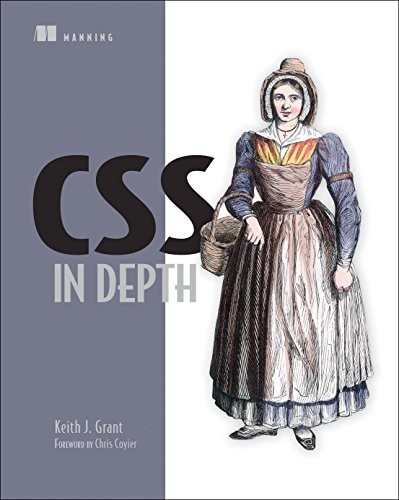
Understanding CSS instead of fighting it: the cascade, layers, container queries and OKLCH color.
Why this book
Everyone "knows" CSS. Almost nobody knows it deeply. You write a selector, two properties, it works, and the day it doesn't you add an !important and pray. Keith Grant writes for exactly that developer: the one who has spent years with CSS, hit walls, and come out frustrated.
I teach CSS courses on this site, and this is the book I wish I had read first. Its promise isn't a list of tricks: it's understanding how the pieces of the language fit together. The 2nd edition (2024) adds everything that landed recently and changes the game: cascade layers, native nesting, scope, container queries, OKLCH color. In his foreword, Chris Coyier sums CSS up with the Othello tagline: a minute to learn the rules, a lifetime to master. This book is the road between the two.
The ideas that stay
1The cascade isn't a mystery, it's six tie-breakers in order
We sprinkle !important everywhere because we don't know why one rule beats another. Grant takes the mechanism apart: when two rules target the same element, the browser decides by six criteria, in order:
- the stylesheet origin;
- inline styles;
- the layer (
@layer); - the selector's specificity (IDs beat classes beat tags);
- scope proximity;
- source order.
Specificity, which we think rules everything, comes only fourth. The book's example: #main-nav a (one ID, one tag) beats .featured (one class); a single ID is enough to win, and that's the whole source of the trouble. As for !important, it doesn't win by brute force: it bumps the declaration up one origin level. Grant warns it's "a naive fix": it works today, it causes problems down the road. Once you know the order, you reach for the right lever instead of stacking patches.
2Stop thinking in pixels
Coding every size in pixels condemns you to touch fifteen values to resize one component. Grant's proposal: em is the current element's font size, rem is the root's. Define a component's padding, margins and border-radius in em, and a single change to font-size resizes the whole block, proportionally.
The trap with em is that it compounds: ul { font-size: 0.8em } on nested lists gives 12.8px, then 10.24px, then 8.19px, shrinking at every level. rem breaks that chain, since it always starts from the root. Grant's rule of thumb:
- rem for font size;
- pixels for borders;
- ems or rems for most other properties.
And custom properties (--my-color) aren't Sass variables: they cascade and inherit. Redefine --bg inside a .dark selector and the whole subtree repaints, with nothing to recompile.
3Cascade layers: the priority you decide instead of suffer
The classic scenario: your a:any-link (a class plus a tag) beats your .button (a class), when you wanted the exact opposite, and you end up in !important.
The @layer rule fixes this: it splits CSS into ordered layers, and a layer declared later wins over earlier ones, whatever the specificity inside it. You set the order in one line at the top of your sheet: @layer reset, theme, global, layout, modules, utilities;. Direct consequence: your utility classes (.text-center) always win, without a single !important, simply because their layer is last.
The trap to know: any style placed OUTSIDE a layer beats EVERY layer, as if it belonged to an invisible top-priority layer. Grant says it plainly: "styles that are not defined inside a layer will take precedence over styles in a layer." The rule that follows: put everything in a layer, no exceptions. Specificity stops being a battlefield.
4A module doesn't know where it sits
The line that rots a stylesheet: .sidebar .card { … }. Your card behaves differently depending on where it lands, and nothing is predictable anymore. Grant's golden rule is blunt: "never use descendant selectors to alter a module based on its location on the page."
A module is a root class, styled independently of its context; a variation comes from a modifier class (the BEM convention, for Block-Element-Modifier), never from a context selector:
/* ✗ the card depends on where it lands: unpredictable */
.sidebar .card { background: navy; }

/* ✓ an explicit variant that travels with the component */
.card { background: white; }
.card--featured { background: navy; }   /* the BEM modifier */
The 2nd edition adds a tool that makes the browser itself enforce this, the @scope rule:
@scope (.media): the styles inside no longer leak onto the rest of the page;- "donut scoping"
@scope (.dropdown) to (.drawer > *): styles a region while cutting a hole out of its middle.
The result: a component you move anywhere without fear, because it no longer depends on anything around it.
5Container queries: you ask the container, not the screen
This is the most striking addition in the book. A media query looks at the window size. The problem: your "card" module dropped into a 300px sidebar still gets the "wide screen" styles, because the viewport itself is 1400px. So the card overflows its column.
The container query flips the logic: it responds to the size of the CONTAINER that holds the module. You declare container-type: inline-size on the parent, then write @container (width >= 450px). The same component now adapts to the real space it's given, never to the screen size. Grant puts it simply: "what matters is the size of the container that holds the module."
Two companions extend the idea:
- the
cqiunit (1% of the container's width) sizes typography and images relative to the container; - style queries
@container style(--color-theme: dark)centralize dark mode in one place instead of duplicating it.
The payoff is a genuinely reusable component that copes in any slot of the layout.
6Flexbox or Grid: from the content out, or from the layout in
We hesitate forever between the two. Grant settles it with a line from Rachel Andrew (a member of the W3C CSS Working Group): "flexbox works from the content out, whereas grid works from the layout in." Operationally:
- Flexbox: one dimension. The content dictates the size, and you share out the REMAINING space between items.
- Grid: two dimensions. YOU draw the structure (the lines, the columns, even a plan in ASCII art with
grid-template-areas) and the content drops into it.
The practical rule that falls out: grid for the page structure, flexbox to align items inside a region. And the flex-basis / flex-grow / flex-shrink trio then reads as a sharing-out of the remainder:
.main    { flex: 2; }   /* takes 2 shares of the remaining space */
.sidebar { flex: 1; }   /* takes 1 → a 2/3 – 1/3 ratio, with no calc() */
The "which one?" question now takes two seconds.
7Why a z-index: 100 still sits behind
The great misunderstanding: you set z-index: 9999 and the element stays stubbornly hidden. Grant names the culprit, the stacking context. A z-index only ranks an element WITHIN its stacking context, not across the whole page.
Now, adding a z-index to a positioned element creates a new context with that element as its root: all its descendants are locked inside. If that root is painted behind another element, none of its children, even at z-index: 100, can come in front.
And the trap is that plenty of properties create a context without you asking:
- an
opacitybelow 1; - a
transform; - a
filter; - a
position: fixed.
The line to remember: "if an element is stacked in front of a stacking context, no element within that stacking context can be brought in front of it." Grant's practical advice: keep all your z-index values in custom properties, in one place, in steps of 10, to stay in control.
8OKLCH: color finally aligned with the eye
In hex, #1a7a52 and #4fb985 share no visible link: there's no way to guess it's the same hue, lighter. OKLCH describes a color with three values:
- Lightness: perceived, and perceptually uniform unlike HSL's, so two colors at 50% lightness really do look equally light;
- Chroma: how vivid the color is;
- Hue: an angle on the color wheel.
In the book's palette, the three greens all share the same hue, 165, obvious in OKLCH code and completely invisible in hex. To get a lighter shade, you keep the hue and raise the lightness, done.
OKLCH also reaches more vivid colors than sRGB (the P3 gamut of recent screens) and stays valid if displays widen further. On readability, Grant recalls the WCAG contrast threshold of 4.5:1 for body text, which a DevTools panel computes for you. You end up building and deriving a palette in your head.
Three things I did not know before reading it
- The
fontshorthand is so dangerous that Grant uses it only on<body>: it silently resetsfont-weight,font-styleand the rest to their initial values every single time (ch. 1). - The "lobotomized owl" selector
* + *(from Heydon Pickering) spaces out elements of mixed types without juggling first/last:.stack > * + * { margin-block-start: 1.5em; }(ch. 3). :where()always has zero specificity, unlike:is()which takes its most specific argument's, soa:where(:any-link)adds no weight at all (ch. 8).

My take, honestly
This is the most up-to-date CSS book I know, and the most useful one for a developer who "already knows." Its strength is treating CSS as a coherent system rather than a bag of tricks: you come out understanding WHY a rule wins, not just which incantation you usually type. The chapters on layers, scope and container queries are worth the price on their own, because they are the pieces of CSS that landed in the last three years and that most of us never took the time to learn properly. And every concept lives inside a real project (a coffee shop, a collaboration app, a running club), not in abstract divs.
The flaws? The ideas aren't "Grant's": they're the web platform's, and what he does is organize and explain them better than the docs. So if you're after an original thesis like in Clean Code or Designing Data-Intensive Applications, this isn't that book: it's a reference, not a manifesto. Some of the later chapters (gradients, masks, filters) read more like a catalog than a revelation, and a few features he shows, like style queries, weren't supported everywhere at release. Check caniuse before leaning on them in production.
The book closes well: on animations that carry meaning rather than decoration (signaling that a form was sent, drawing the eye at the right moment), with the technical reminder that counts, only animate transform and opacity, the only properties the browser can move without recomputing everything, and respect the reduced-motion preference. His last piece of advice is the right one: stay curious, open DevTools on the pages that impress you, and keep learning. CSS moves faster today than at any point in its history.
Odilon
Still relevant in 2026?
Yes, and that's its best argument: this is the edition covering the CSS of 2022-2024, the part most developers haven't absorbed yet. Layers, scope, container queries and OKLCH aren't gadgets: they solve problems we'd been working around for ten years. One caveat, browser support for a few of the newest features (style queries especially) is still moving, so a glance at caniuse.com stays in order before relying on them in production.
Who is it for?
Read it if
- You write CSS regularly but "suffer" it more than you drive it
- You learned CSS more than five years ago and want to catch up on layers, scope and container queries
- You still drop
!importantwithout quite knowing why it works (or doesn't) - You want to understand the cascade and the stacking context once and for all
Skip it if
- You're a complete beginner in HTML/CSS: start with a real intro, this book assumes the basics
- You want a graphic design book: it touches design but stays a developer's book
- You want an original, provocative thesis: this is a solid reference, not a manifesto
To go further
The CSS course and the HTML course on this site cover the foundations in practice; the chapter on modules and scope extends into everything about maintainable front-end architecture. My article Mobile CSS consistency: all best practices in 2026 takes this further in practice.
Comments (0)